

Looking for a theme that combines features, aesthetics, and smooth performance? Well, Seeking Shadows HyperOS Theme is a perfect blend of everything, giving your Xiaomi, Redmi, or POCO smartphone a unique look with a premium experience.
It’s really hard to find a Xiaomi theme that offers overall aesthetics along with modern features and customization options. But Seeking Shadows is definitely going to meet most of your requirements. The theme packs beautifully crafted icons, a highly customizable lock screen, iOS-style charging animation, depth effect wallpapers, and much more to explore.
Seeking Shadows HyperOS Theme is originally a China-region theme that has been fully translated into English by us for Global users. So, download the English Port MTZ theme file and enjoy a premium experience on your device.
Key Highlights of Seeking Shadows HyperOS Theme
Let’s explore the key features of this theme that make it worth using as your new custom OS skin.
Gorgeous Icons
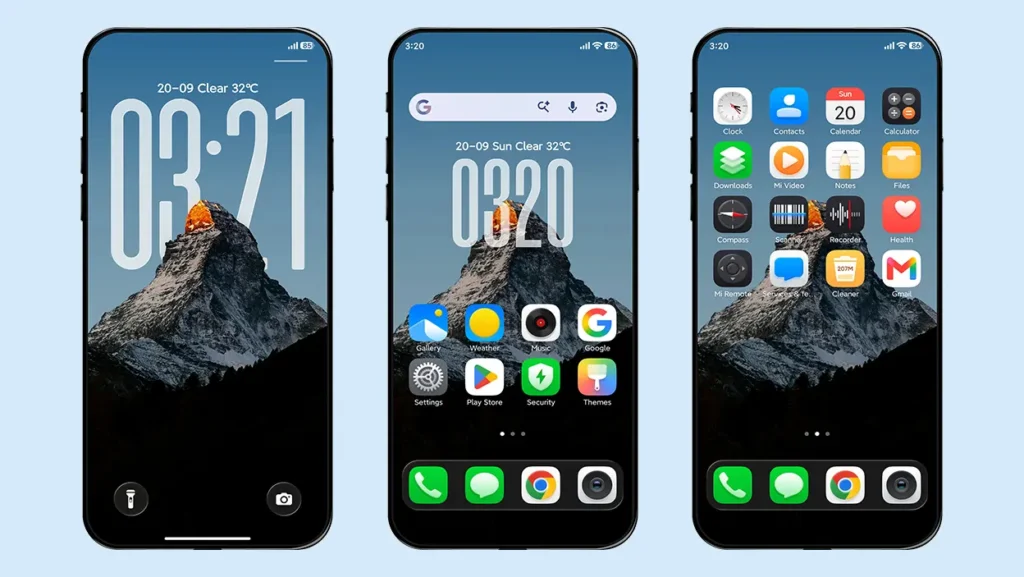
The theme offers truly premium and high-quality icons that are unique to the theme. The icon pack includes over 1,200 icons, supporting system apps, Google apps, and some common third-party apps.
The icons are designed in very high resolution with a clean appearance and a subtle 3D effect, making them visually stunning. They perfectly match the overall theme setup and complement its aesthetics.
Advanced Customizable Lock Screen
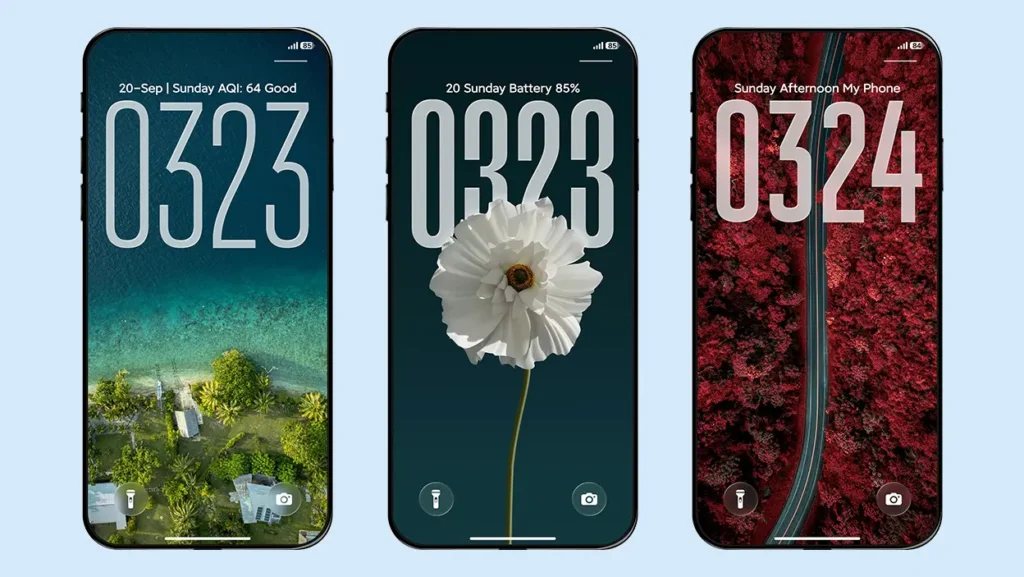
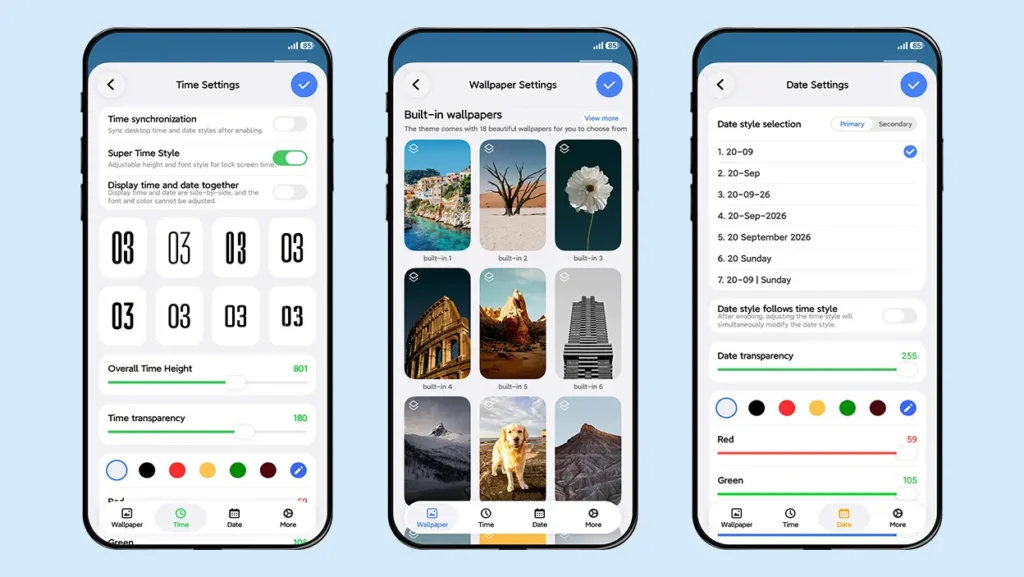
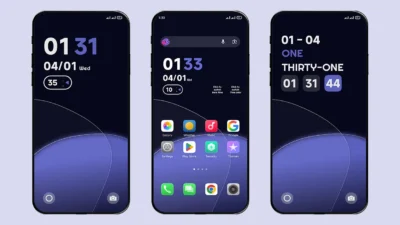
The lock screen has an iOS-inspired design, but its customization features make it different and unique. It has a clean and responsive interface while offering several customization options for the date, time, wallpapers, colors, opacity, shortcuts, and more.
The only major limitation of the lock screen is the lack of widget support. Instead, the theme focuses on maintaining a clean and simple experience without compromising performance.
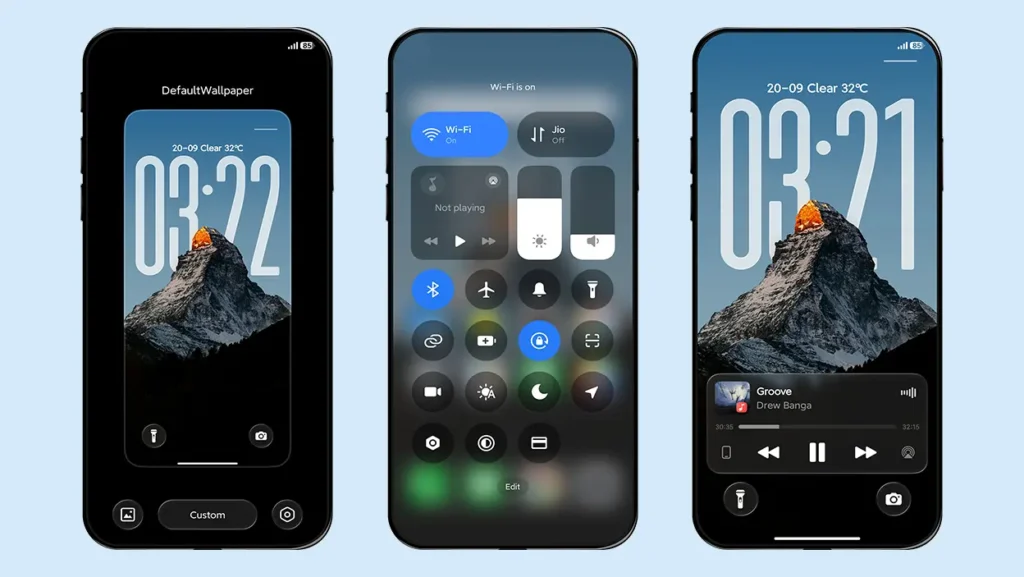
Separate Lock Screen Control Center
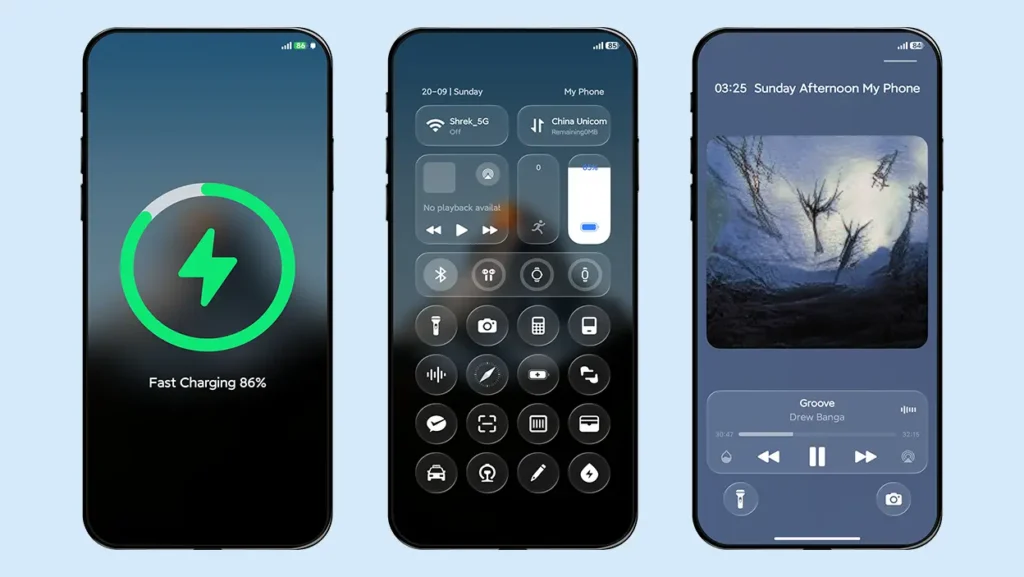
The lock screen has its own dedicated Control Center, but it is not the same as the iOS-style Control Center seen in some other themes. Instead, it closely resembles the HyperOS Control Center while offering some additional functionality.
It includes multiple shortcuts such as Wi-Fi, Bluetooth, mobile data, flashlight, camera, calculator, compass, and more. It also features music controls, battery indicators for connected earphones, smartwatches and smart bands, a step progress bar, and the device’s battery status.
You can access the lock screen Control Center by swiping down from the top-right corner.
Multiple Date and Time Formats
The default time style can be adjusted in terms of height, transparency, and color. There are also eight different font styles to choose from, with support for scaling instead of height adjustment.
You can also enable the “Display Time and Date Together” option to show the time and date together at the top of the lock screen. This format is non-adjustable, but it gives the lock screen a much simpler and cleaner appearance.
The date format can be customized in two parts. The Primary Date Style allows you to choose from different date formats, while the Secondary Date Style lets you display useful information such as weather, step count, battery percentage, location, alarm, custom text, or Null when you don’t want to display anything.
Depth Effect Wallpapers
The theme includes 18 built-in depth effect wallpapers along with a default wallpaper. These are high-quality wallpapers that can be changed directly from the lock screen settings at any time.
You can further enhance the depth effect wallpapers by adding 3D gravity, blur, and dark mask effects to create a more immersive lock screen experience. The theme also gives you the flexibility to enable or disable the Depth of Field effect anytime, allowing you to adjust the wallpaper according to your preferred setup and overall lock screen appearance.
The theme also supports custom wallpapers, desktop synchronization wallpapers, and folder wallpapers, giving users more flexibility when personalizing their device.
Charging Animation
The theme features a built-in charging animation heavily inspired by the iOS charging animation. Whenever you connect your device to a charger, a MagSafe Ring-style charging animation appears on the screen.
You can switch between the default System (HyperOS) charging animation and the Theme charging animation anytime from the lock screen settings.
Smooth Performance
The overall experience of the theme is smooth, even though it offers several customization features. The designer has focused on the most important features without making the theme unnecessarily complicated.
This makes Seeking Shadows a practical option for daily use while maintaining a premium look and feel, including on devices with more modest hardware.
Other UI Changes
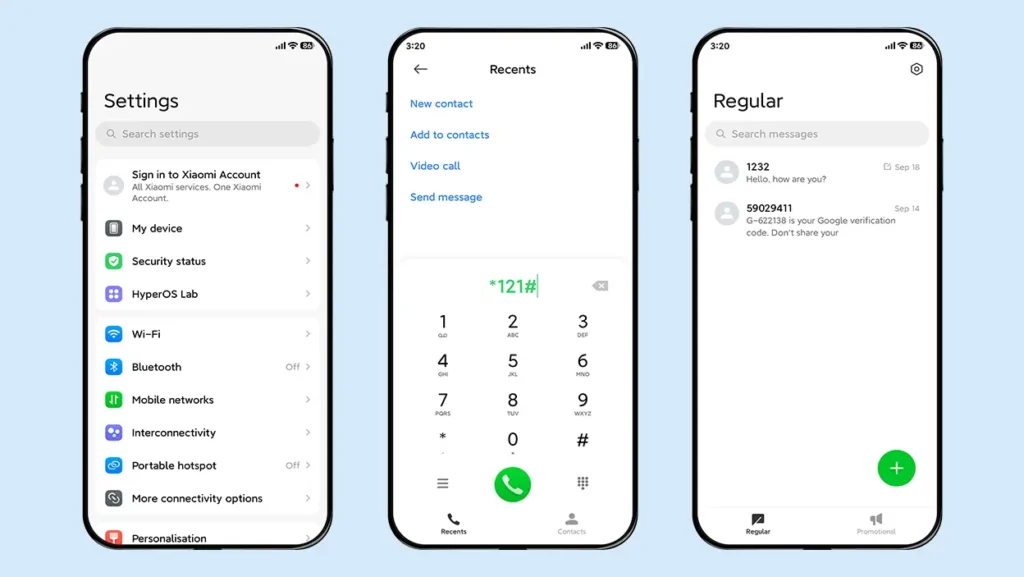
The theme also introduces numerous subtle UI changes across the Control Center, Dialer, Contacts, Settings, and Messaging apps to provide a more consistent and polished user experience.
Theme Screenshots, Download Links & Installation Guide
Here are the complete screenshots, theme details, download link, and installation guide for the Seeking Shadows HyperOS Theme. Follow the steps carefully to apply this MTZ theme successfully on your Xiaomi, Redmi, or Poco device.
Theme Screenshots
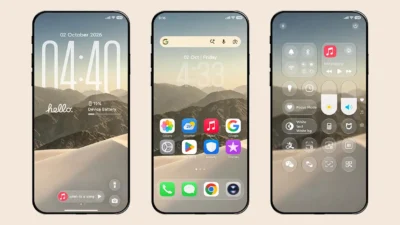
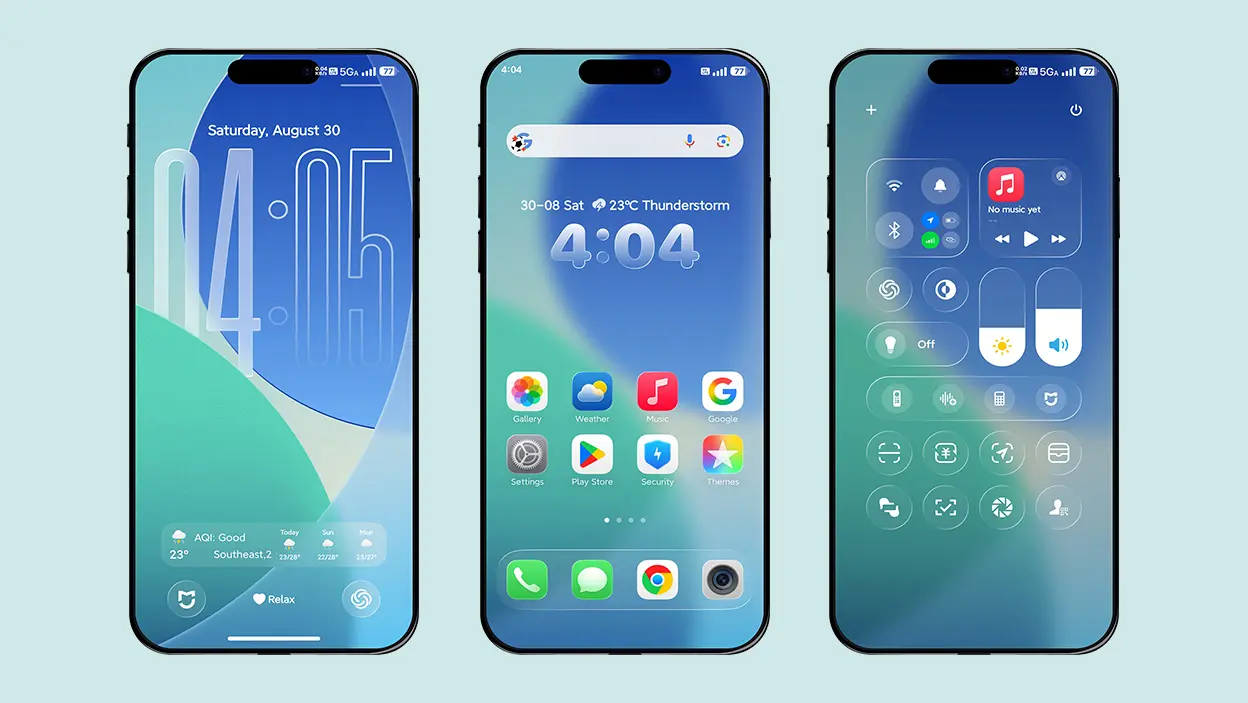
Before downloading the theme, let’s take a look at how the above-mentioned features look in action on your device.
Theme Information
| Name: | Seeking Shadows / 寻影 |
| Designer: | 史莱克 |
| Compatibility: | HyperOS 1.0 | 2.0 | 3.0 |
| Size: | 87.4 MB |
| Type: | MTZ File |
Download Links
How to Install Seeking Shadows Theme
Applying this MTZ theme is quick and easy. Simply follow the steps below to import the downloaded MTZ file through the Themes app and apply it successfully to your device.
- Open the Themes app on your device.
- Go to My Account.
- Tap on the Themes option.
- You’ll see a list of your pre-installed themes. Scroll down and tap on the Import option.
- Locate and select the Seeking Shadows [ENG].mtz file you downloaded.
- The theme will be added to your themes list.
- Finally, tap on the theme and press Apply to set it on your device.
Final Verdict
If you are looking for a clean, smooth, and performance-oriented theme, Seeking Shadows HyperOS Theme is worth trying. It brings high-quality icons, a customizable lock screen, depth effect wallpapers, home screen dock bar support, iOS-inspired charging animation, and much more in a single package.
With its combination of modern aesthetics, useful customization options, and smooth performance, Seeking Shadows can give your Xiaomi, Redmi, or POCO smartphone a fresh and premium look. Give it a try and personalize your device with this feature-packed HyperOS theme.
If you enjoyed the theme, don’t forget to share it with your friends and fellow Xiaomi users. Also, feel free to share your thoughts and experience in the comments section. If you encounter any issues while installing the theme, notice any bugs, or find any translation issues, please let us know in the comments.
Nice theme ❤️👍