

The iP27 Super Capsule HyperOS theme is the new successor to the popular iP26 theme. You don’t need an iPhone to enjoy the latest iOS-inspired aesthetic, as this new theme brings an iOS 27-like experience to your Xiaomi, Redmi, and POCO smartphones completely free.
It’s not just an update to the iP26 theme; it introduces a fresh visual style and a redesigned interface. The theme brings several new UI changes and features, including iOS-style lock screen features, redesigned icons, widgets, wallpapers, and much more. Every element of the iP27 HyperOS theme is heavily inspired by Apple’s latest iOS 27 design.
At MTZOnly, the iP27 theme is available in an English port version, where each and every element is translated and all features work perfectly. Let’s take a closer look at its key features, design, compatibility, and how you can install it on your Xiaomi, Redmi, or POCO device.
Key Highlights of iP27 Super Capsule HyperOS Theme
The iP27 HyperOS theme brings a fresh iOS 27-inspired look with several visual changes across the HyperOS interface. Among its many features, let’s explore the key highlights that make this theme one of the best iOS-inspired themes for Xiaomi devices.
iOS 27-Inspired Lock Screen
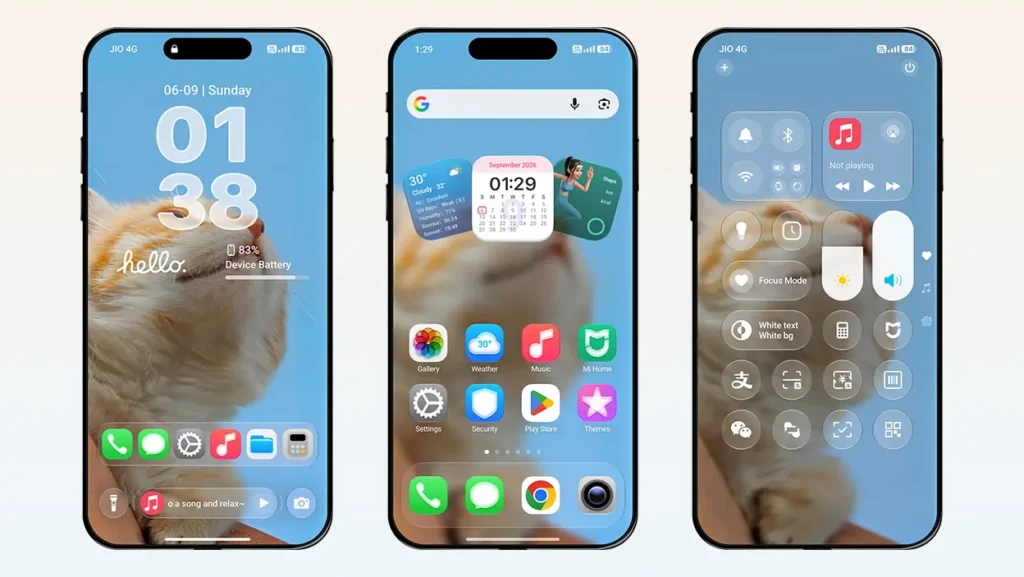
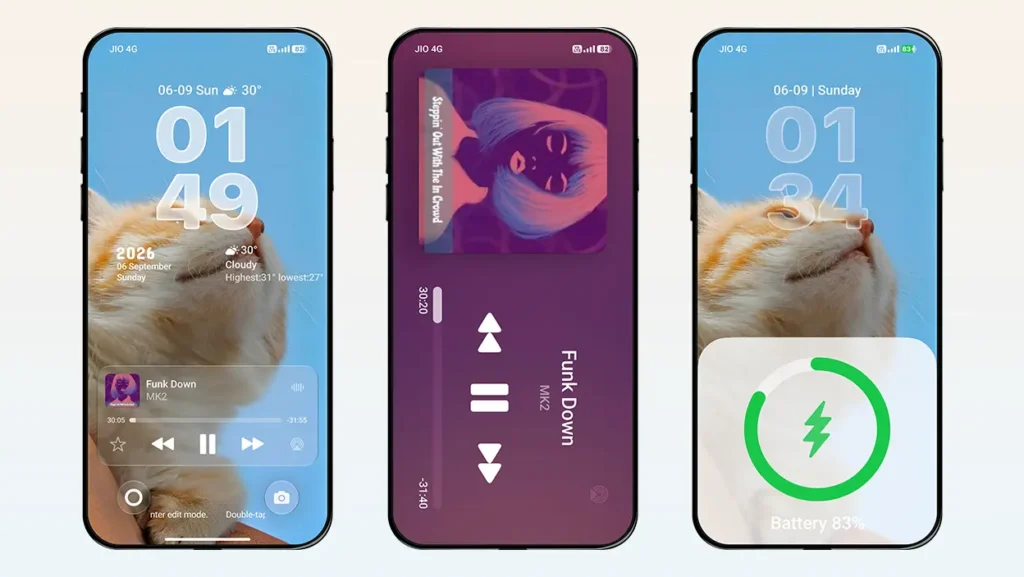
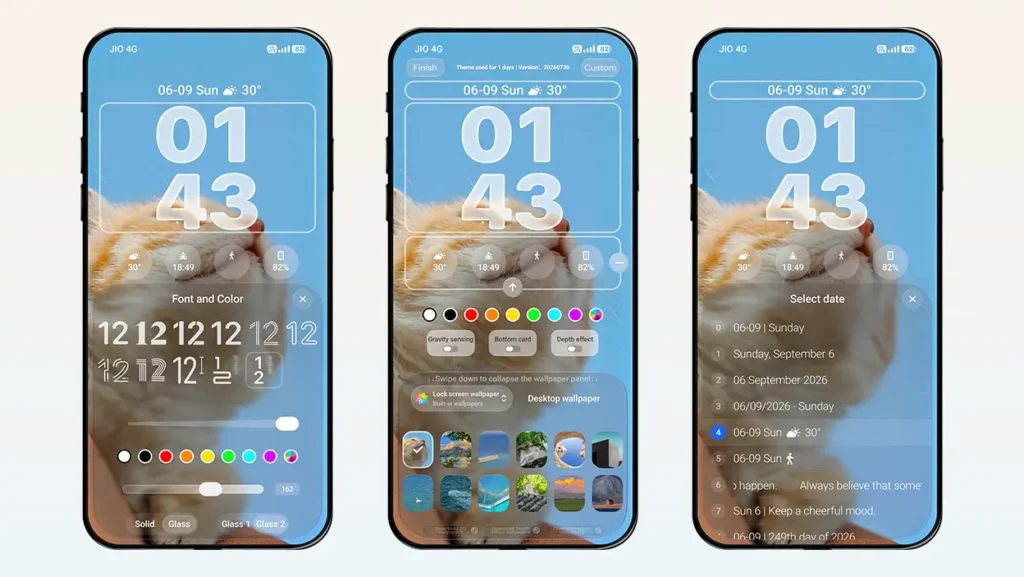
The lock screen is now more advanced, featuring various customization options. Its UI looks almost identical to the iOS 27 lock screen and supports customization for the date, time, widgets, shortcuts, wallpapers, and effects. You can double-tap the bottom white bar and tap on a specific element to customize it. Small parameters can also be adjusted through the theme’s accessible lock screen settings.
Super Capsule
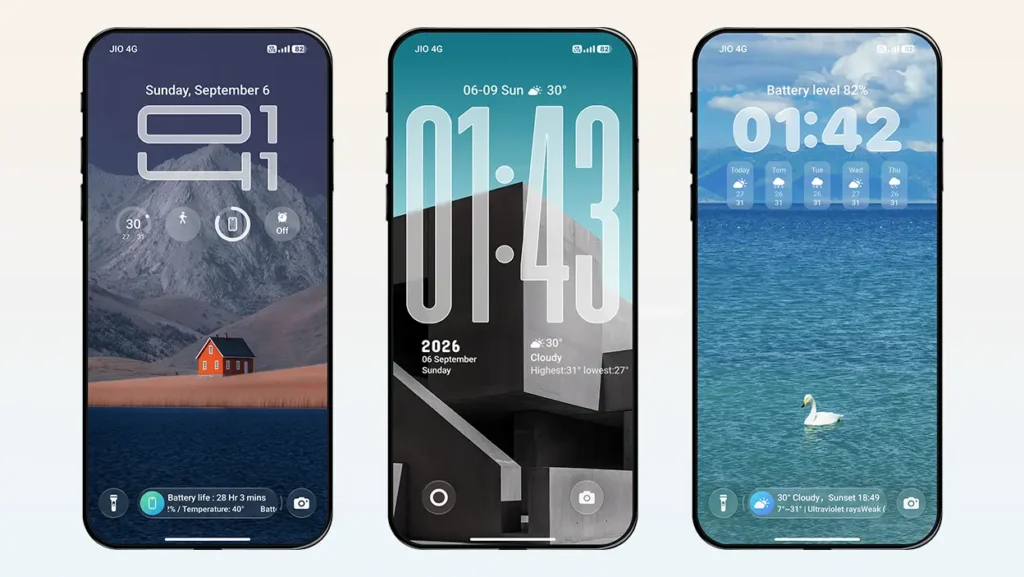
A glass-effect capsule appears at the bottom of the screen and can display music, weather, and battery information. You can swipe left or right on the capsule to switch between the displayed content. Additionally, you can change its functionality and order through the theme’s lock screen settings.
Lock Screen Control Center
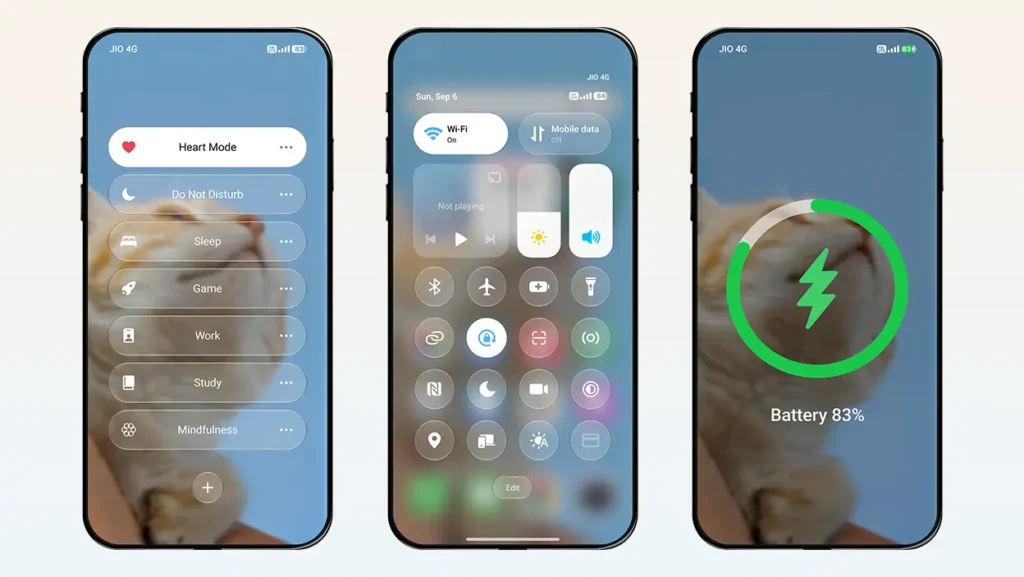
An additional control center is designed specifically for the lock screen to give you a more iPhone-style experience. In terms of UI design, it looks very similar to the iOS Control Center. This control center includes multiple shortcuts such as sound, Bluetooth, Wi-Fi, flashlight, music controls, volume status, calculator, and more.
In-Built Wallpapers
The theme offers 12 different high-quality wallpapers that you can switch between anytime. Apart from these, you can apply various effects to the wallpapers, including Gravity Sensing, 3D Enhancement, and Dark Effect.
The wallpaper selected on the lock screen is synced with the home screen, meaning the same wallpaper will be applied to the home screen if a custom wallpaper has not been separately applied to either the home screen or lock screen.
Note that these are not depth-effect wallpapers. However, the theme still supports custom depth-effect wallpapers, including options such as folder wallpaper and desktop wallpaper synchronization.
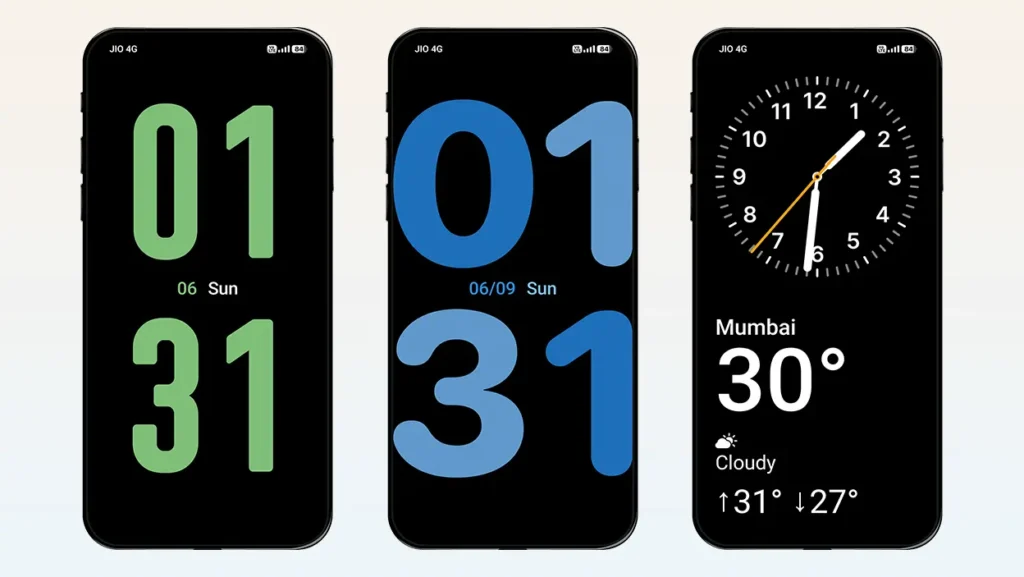
StandBy Mode
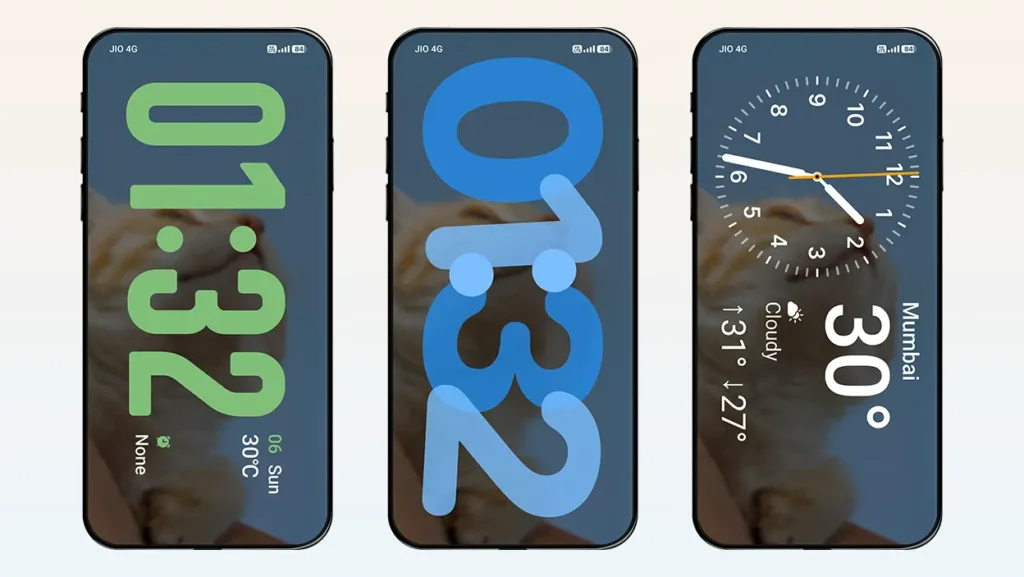
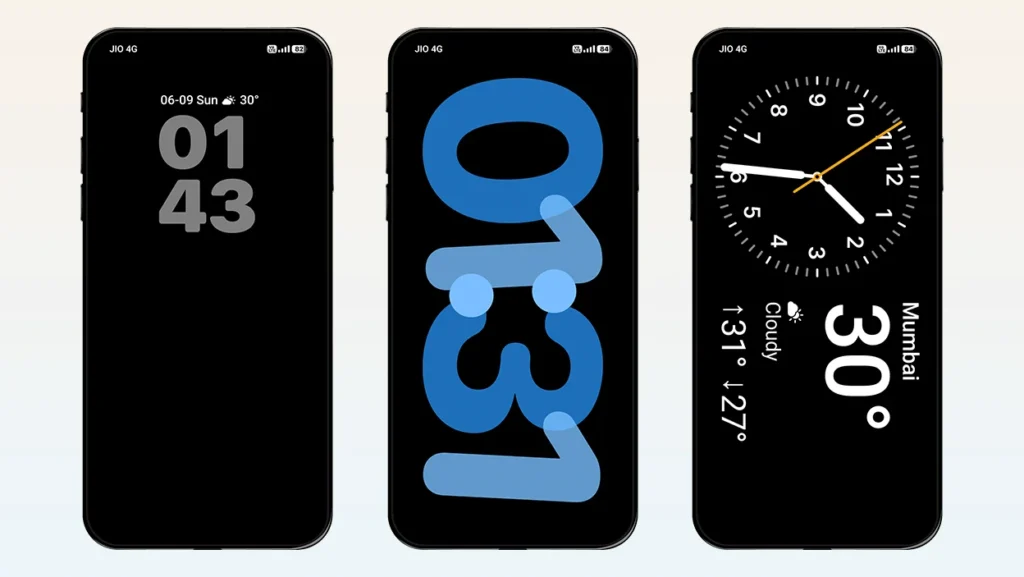
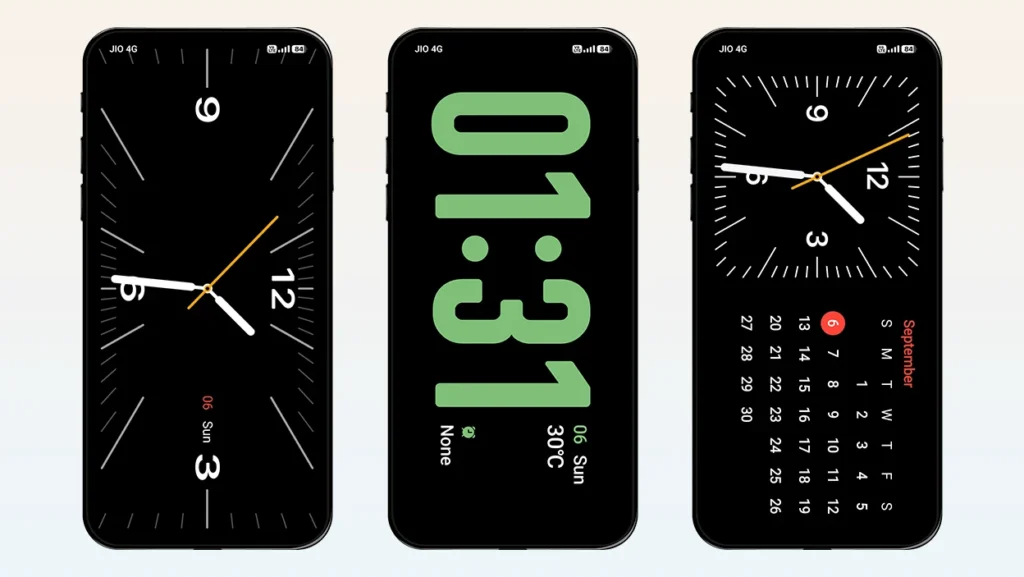
Like iOS, the theme also offers a StandBy Mode feature, which you can access by swiping down on the lock screen or set to activate automatically while charging. The StandBy Mode includes five different display styles and supports both horizontal and vertical orientations.
You can either blur the current wallpaper or choose a dark background for StandBy Mode. We recommend choosing the dark background if your device has an AMOLED display.
Always-On Display Mode
Double-tap the lock screen to enter Always-On Display mode. This feature displays only the time and date against a black background. You can set the AOD mode to stay active for either 10 seconds or permanently until the power button is pressed. The AOD mode includes built-in animations such as Fade to Dark, Door Closing, and Circle Effect, which shrinks toward the center or power button.
You can also choose the wallpaper style for this mode, with options including Solid Black, Dim, and Dim + Blur.
iOS-Style Charging Animation
Remove the old, boring HyperOS charging animation and switch to an iOS-style one. The theme offers two different types of charging animations: MagSafe Full Screen and Bottom Pop-Up, both inspired by iOS.
You can also completely disable the charging animation through the theme’s options.
Simulated Focus Mode
A simulated Focus Mode feature is also included to provide a more immersive iOS 27-style experience. After enabling this feature, simply tap the text at the bottom to activate Focus Mode, where you can switch between different modes according to your needs.
Note that this is only a simulated feature intended for showcase purposes. It does not function as the actual iOS Focus Mode because it is not integrated into HyperOS.
Customizable Time Fonts and Date Formats
There are 11 different time styles available to choose from, including two date styles with a vertical layout. The main time style supports variable height adjustment, allowing you to adjust the height of the time digits according to the depth effect of your wallpaper.
Apart from this, all styles support solid or glass-effect designs with customizable colors and opacity.
On the other hand, 13 different date formats are available to choose from. Whether you want to display a simple date, weather information, location, step count, battery data, or a custom quote, the theme has you covered.
Multiple Widget Support
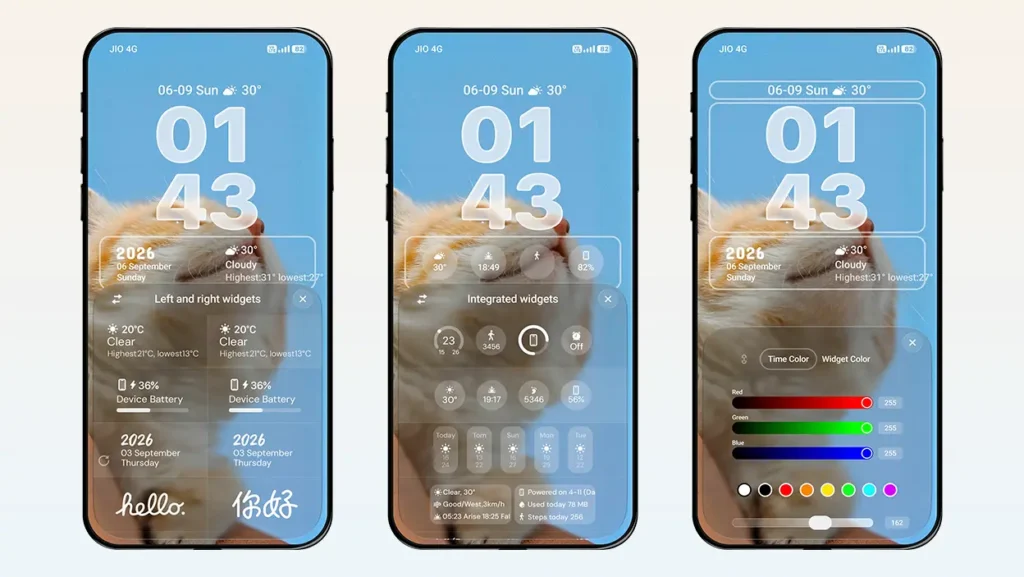
Customize the lock screen widgets according to your needs and display useful information right in front of you. Two types of layout options are available. The first layout allows you to choose the left and right widgets separately, while the other allows you to use integrated widgets.
Each layout type offers multiple widgets to choose from.
Multi-Format Music Player Support
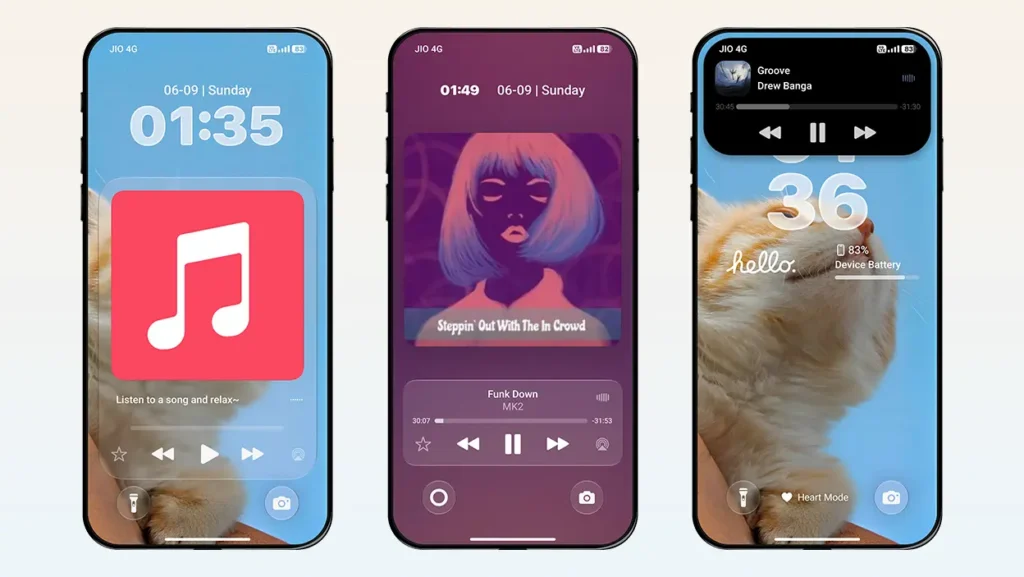
Good news for music lovers. The lock screen supports a variety of music display formats for accessing music information and controls.
One of the most unique and convenient methods is the Super Capsule. When music is playing, the Super Capsule displays the song title and album art. Tapping it expands the capsule to show additional music information along with playback controls.
You can also choose other methods, such as the music card, full-screen music player with horizontal layout support, or Smart Island to access music information and controls.
Dynamic Island and Notch Support
Get an iOS 27-style Dynamic Island experience on your HyperOS device with this amazing Xiaomi theme. The Dynamic Island can display charging status, new notifications when they arrive, flashlight status when turned on, and music controls.
It is highly customizable in terms of length, height, and horizontal and vertical positioning, along with five different style options.
The Dynamic Island feature can also be enabled on the home screen. The style selection and customization applied to the lock screen are directly reflected on the home screen, as both are synchronized.
iOS 27-Inspired Icons
High-quality iOS 27-inspired icons provide a more complete iPhone-like experience. Currently, the icon pack is limited to system apps, but the available icon shapes help maintain a seamless and consistent look across the home screen. Future updates of this theme might bring more icons support.
Desktop Dock Bar
The glass-effect dock bar adds to the immersive experience, making your overall setup look more like an iPhone. The dock bar also supports adjustable positioning, allowing users to adjust its position according to their device and screen layout.
Multi-Functional Desktop Widget
This time, you get a brand-new home screen widget featuring a three-card design. The first card displays calendar information, the second card on the left shows weather information, and the third card on the right displays activity data.
It is a unique and refreshing widget that perfectly complements the overall theme setup
Other UI Changes
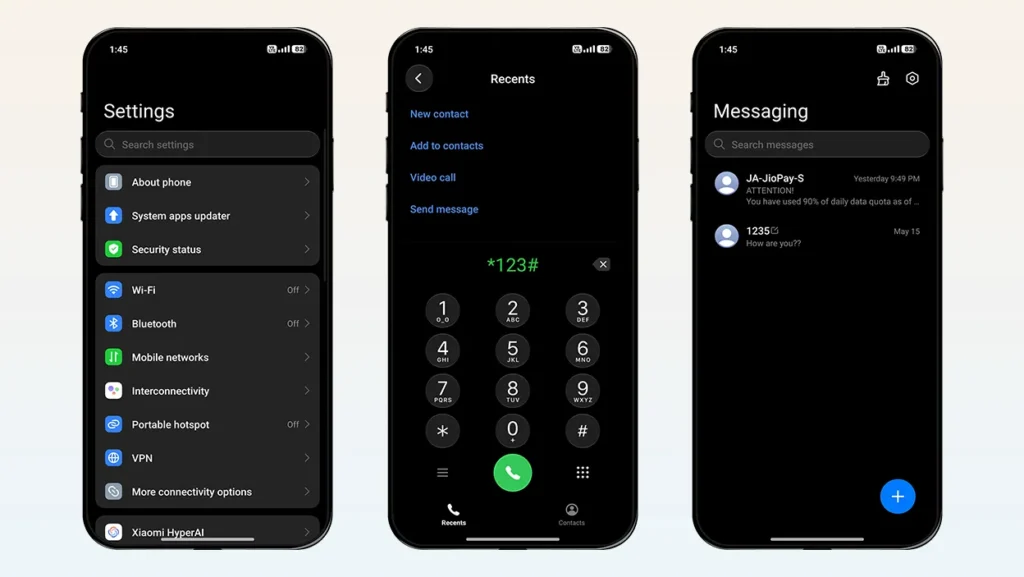
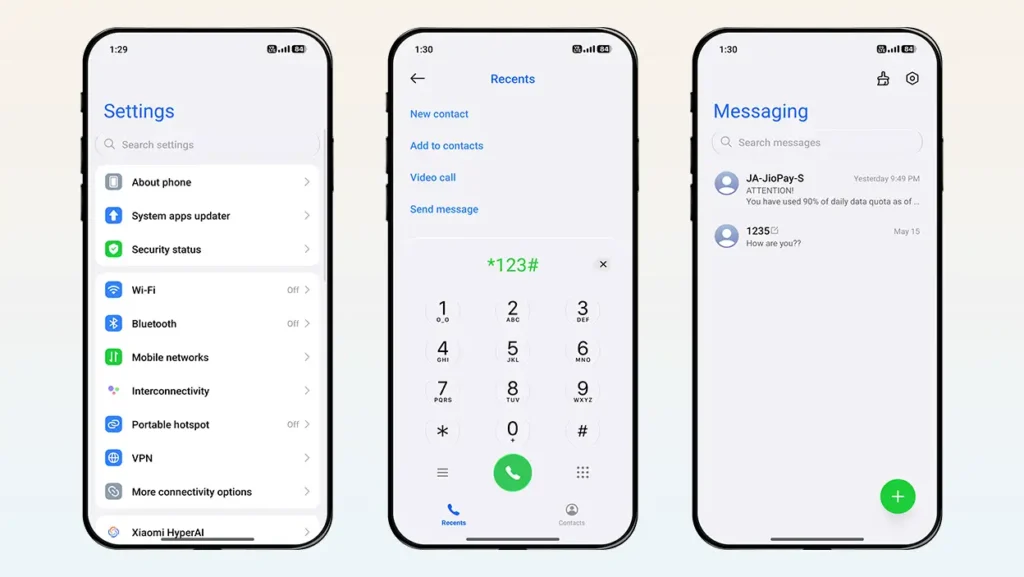
Along with these features, you will notice several major UI changes throughout the theme. These include iOS-style elements in Settings, the Dialer, and Messaging apps, glass-effect touches across various UI elements, dark mode support, splash screen effects, a redesigned Control Center, and more.
Important Note: Various customization features and parameter adjustments in this theme can only be accessed through the theme’s lock screen settings. To access them, open Themes → My Account → Lock Style → Customize (Gear Icon).
Theme Screenshots, Download Links & Installation Guide
Here are the complete screenshots, theme details, download link, and installation guide for the iP27 Super Capsule HyperOS Theme. Follow the steps carefully to apply this MTZ theme successfully on your Xiaomi, Redmi, or Poco device.
Theme Screenshots
Take a look at the theme and its features to see how they will look on your device before you try it.
Theme Information
| Name: | iP27 Super Capsule / iP27超级胶囊 |
| Designer: | 苏哥suger |
| Compatibility: | HyperOS 1.0 | 2.0 | 3.0 |
| Size: | 42.5 MB |
| Type: | MTZ File |
Download Links
Using a Global ROM? Learn how to permanently apply MTZ themes on your Xiaomi, Redmi, or POCO device.
How to Install iP27 Super Capsule Theme
Applying this MTZ theme is quick and easy. Simply follow the steps below to import the downloaded MTZ file through the Themes app and apply it successfully to your device.
- Open the Themes app on your device.
- Go to My Account.
- Tap on the Themes option.
- You’ll see a list of your pre-installed themes. Scroll down and tap on the Import option.
- Locate and select the iP27 Super Capsule [ENG].mtz file you downloaded.
- The theme will be added to your themes list.
- Finally, tap on the theme and press Apply to set it on your device.
Final Verdict
If you are looking for a complete iOS 27-style experience with advanced features in a single Xiaomi theme, then iP27 Super Capsule can be a great choice. With lots of cool features, you can personalize the theme according to your preferences. Get iOS-style features like a lock screen, icons, Dynamic Island, AOD mode, StandBy mode, charging animation, and much more on your Xiaomi, Redmi, or POCO smartphone.
If you enjoyed the theme, don’t forget to share it with your friends and fellow Xiaomi users. Also, feel free to share your thoughts and experience in the comments section. If you encounter any issues while installing the theme, notice any bugs, or find any translation issues, please let us know in the comments.
Best admin in the world! Thank you so much for adding this beautiful theme. I’m really looking forward to the beautiful Guofeng 27 theme. Thanks again! ❤️
It will be added for sure. But we need to add varieties of themes, so it might take some time to add Guofeng 27 theme. Rest assured.
Thanks again for all your hard work. I hope you’ll also add the Gold Label OS27 and Liquid Beauty X themes to the list. Love you guys, and thank you! ❤️