

If you’ve ever wished your Xiaomi or Redmi smartphone could look and feel like the latest iPhone, here’s your chance. The Codename G26 theme brings the sleek iOS 26 style UI right to your device running HyperOS or custom ROMs like Xiaomi EU. From icons to wallpapers, it’s designed to give your phone that premium iPhone-like experience without leaving the Xiaomi ecosystem.
Codename G26 Theme Review
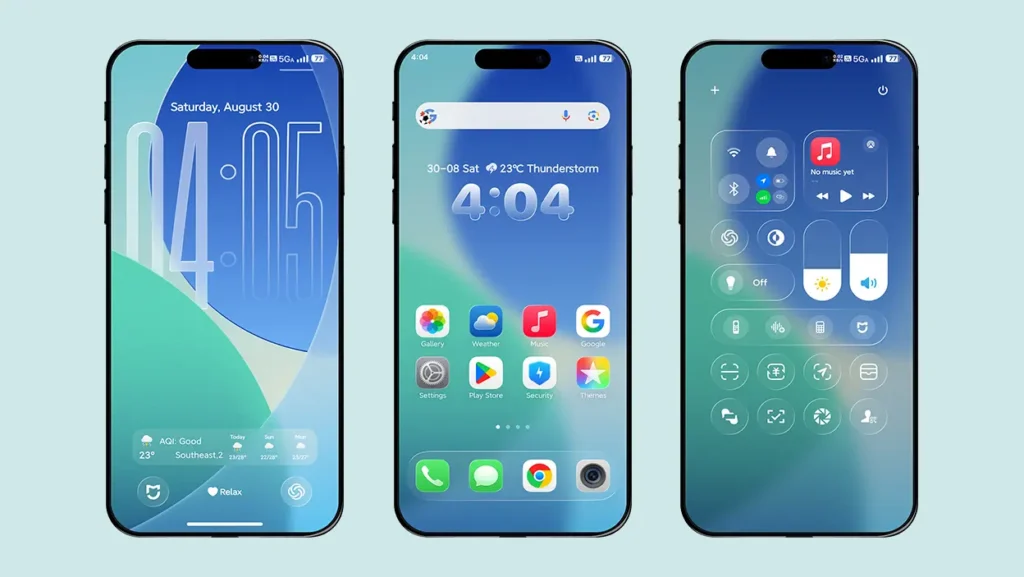
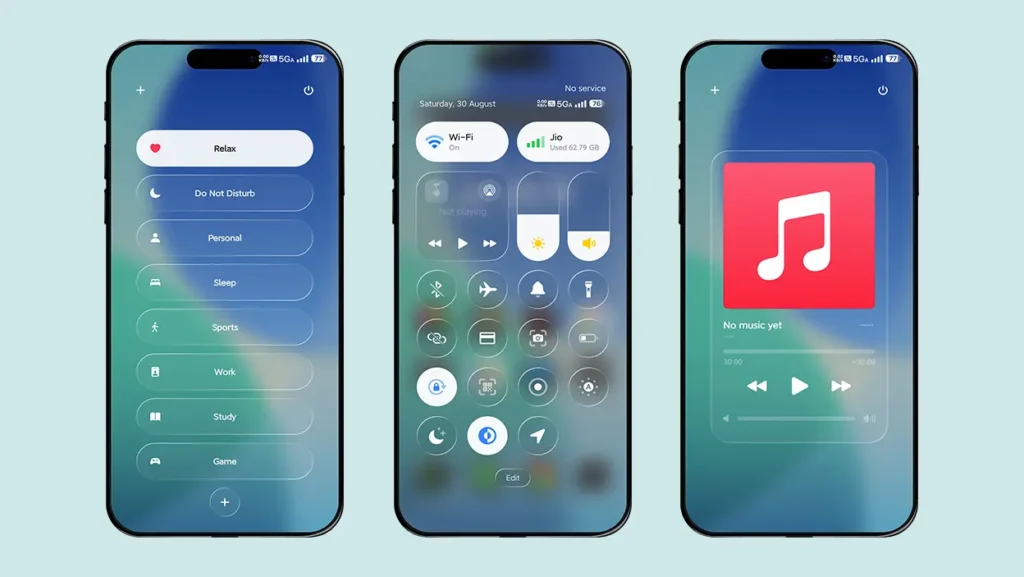
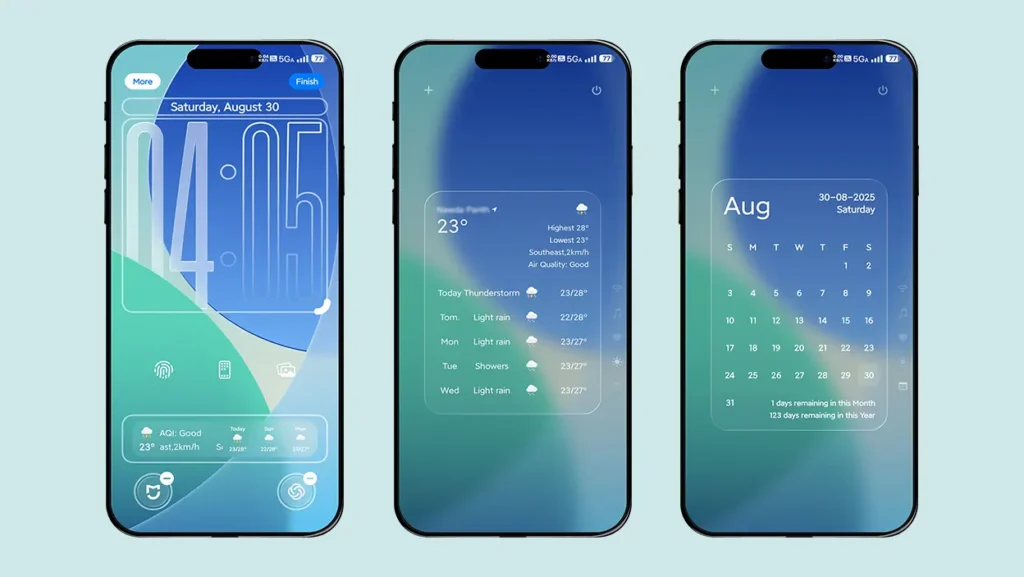
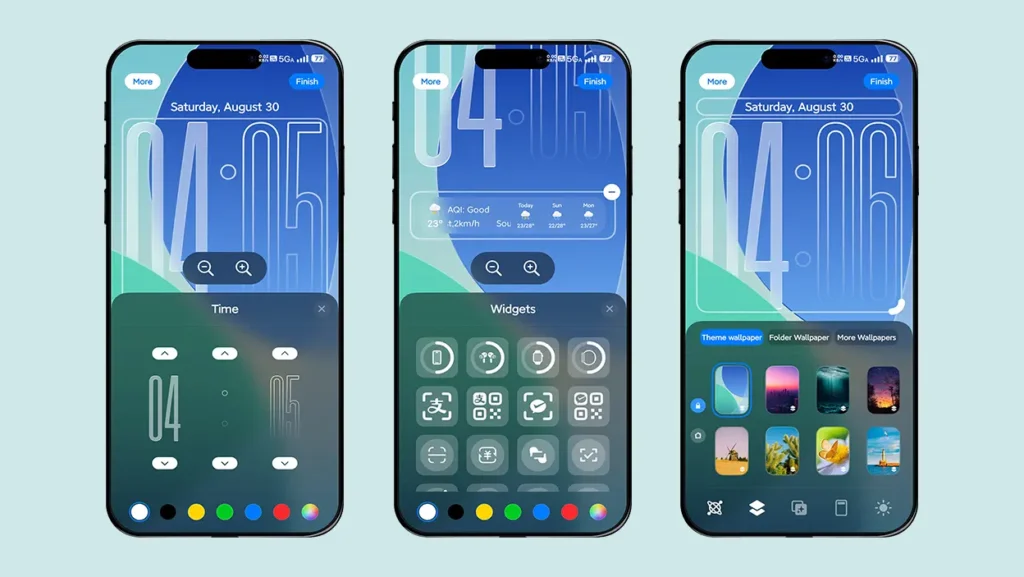
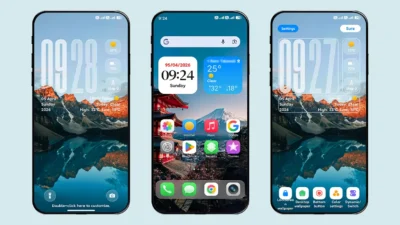
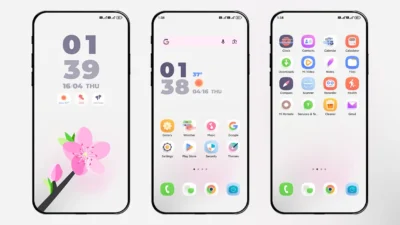
Codename G26 is a HyperOS theme (English Version) built for Xiaomi and Redmi smartphones. Inspired by iOS 26, it revamps the look and feel of your device with a fresh, modern Apple-style design. Think of it as a complete makeover — one that swaps the stock HyperOS look with a new iOS-style interface.
Some highlights include:
- iOS 26-style icons – Smooth, colorful, and instantly recognizable.
- Redesigned control centre – Almost identical to what you get on the latest iPhones.
- Stylish lock screen – Clean, minimal, and functional.
- Exclusive wallpapers – Matching Apple’s aesthetic to complete the vibe.
Whether you’re after a new look or just curious to try something different, Codename G26 delivers a seamless blend of Xiaomi performance with iOS visuals.
Why Try iOS 26 Theme on Xiaomi?
Xiaomi and Redmi smartphones are known for their customization options. Unlike iPhones, where you’re stuck with one style, MIUI and HyperOS let you transform your phone completely. By installing Codename G26, you’ll:
- Refresh your phone’s look without buying new hardware.
- Impress friends with an iOS-like setup on a Xiaomi device.
- Get the best of both worlds — iOS design with Android flexibility.
And the best part? You don’t need to root your phone or install risky mods. Just download the MTZ theme file and apply it using the built-in Theme Manager (or whichever method works on your ROM).
Theme Screenshots
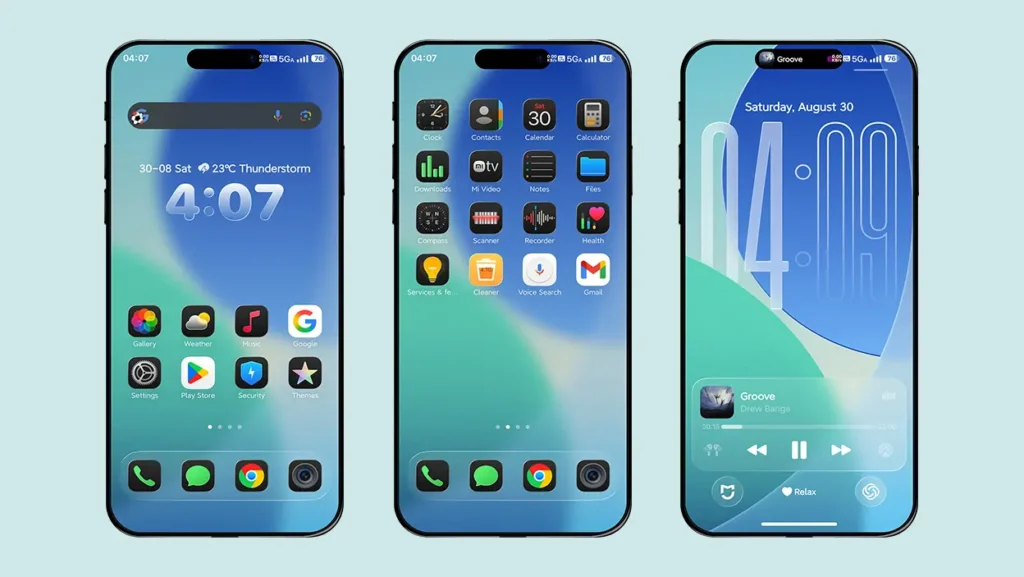
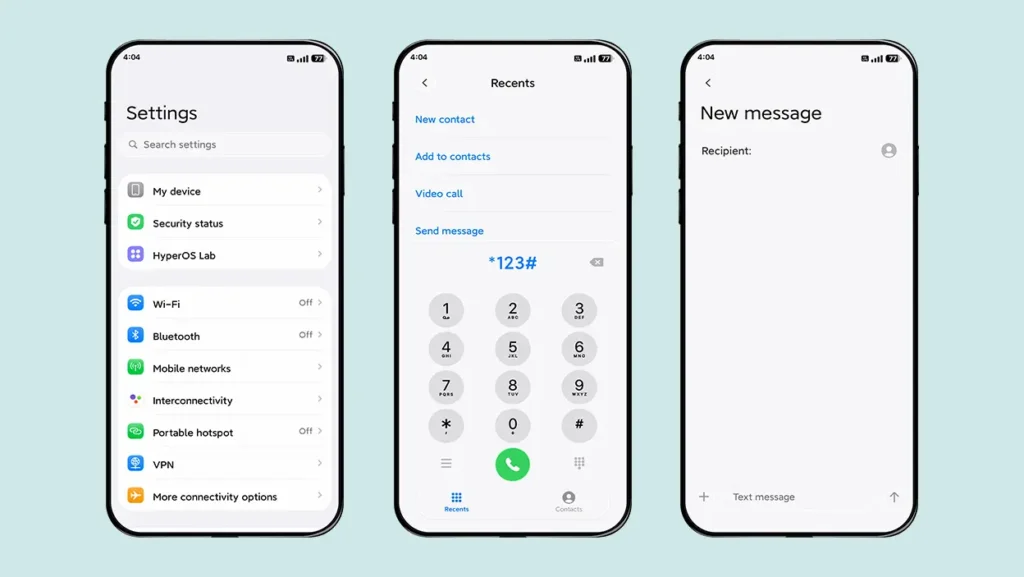
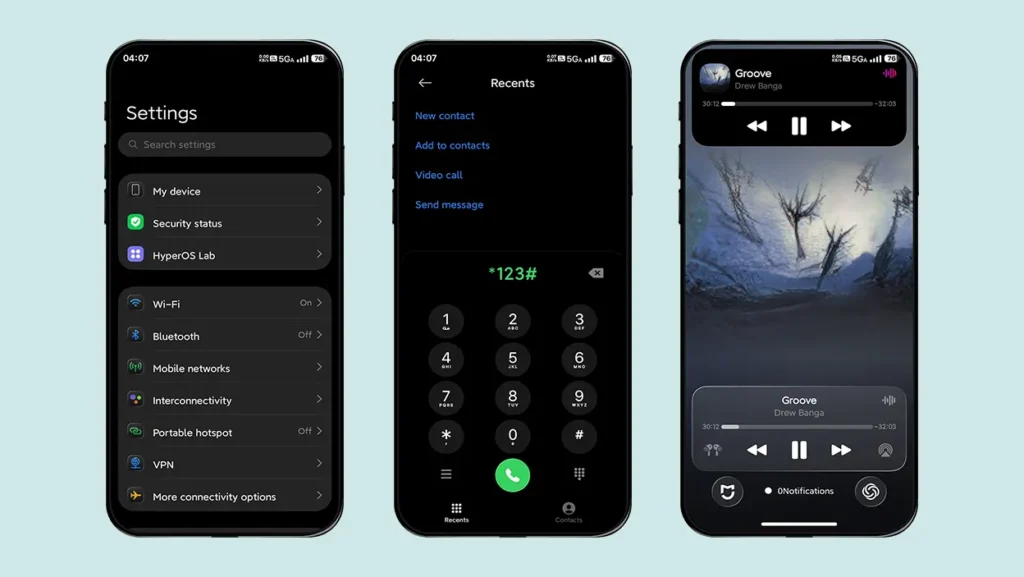
Theme Information
| Name: | Codename G26 / 代号G26 |
| Designer: | 周凡 |
| Compatibility: | HyperOS | MIUI |
| Size: | 79.3 MB |
| Type: | MTZ File |
How to Install an MTZ Theme on Your Device
Follow these simple steps to install an .mtz theme file:
- Open the Themes app on your device.
- Go to My Account.
- Select the Themes option.
- You’ll see a list of your pre-installed themes. Scroll down and tap on the Import option.
- Locate and select the Codename G26 [ENG].mtz file you downloaded.
- The theme will be added to your themes list.
- Finally, tap on the theme and press Apply to set it on your device.
Download Codename G26 Theme
Ready to try it out? You can grab the Codename G26 MTZ file for your Xiaomi Redmi or Poco smartphone right here:
Final Thoughts
If you’re bored of the same old MIUI look, Codename G26 is a simple way to breathe new life into your phone. With its iOS 26-style icons, control center, lock screen, and wallpapers, it’s as close as you’ll get to an iPhone experience on a Xiaomi or Redmi device — all without switching phones.
Give it a try, and let your device stand out with the fresh iOS 26 vibe on Xiaomi.
Aa
I cant download
Download link is added now.