

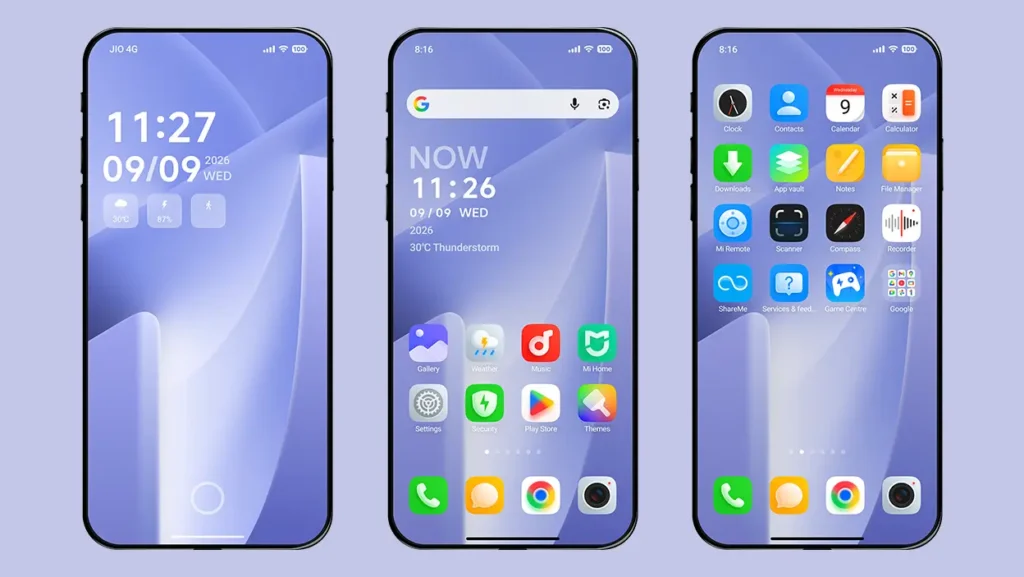
Icons are one of the most important elements of any theme when it comes to the visual experience and interaction with your device. HyperOS themes give you countless ways to customize the look of your icons, but finding a theme with truly stunning and eye-catching icons can be challenging. Today, we’re going to introduce you to Muses HyperOS Theme, a theme that stands out with its beautiful and elegant icon design.
The theme’s beautifully crafted icons give your home screen a clean and premium appearance without making the interface feel cluttered. It is a great choice for anyone who wants a minimal and clutter-free interface while still enjoying a premium look on their Xiaomi, Redmi, or POCO device. Muses is also designed with performance in mind, making it a lightweight option that can offer better battery efficiency compared to heavier, feature-packed themes.
Key Features of Muses HyperOS Theme
Beautiful and Unique Icons
The key highlight of the theme is its beautifully designed icons. They are high-resolution and high-quality in terms of design and appearance, providing support for 1200+ icons, including system apps, Google apps, and major third-party apps. It is an excellent icon pack that can also be combined with and used alongside other themes.
Clutter-Free Lock Screen
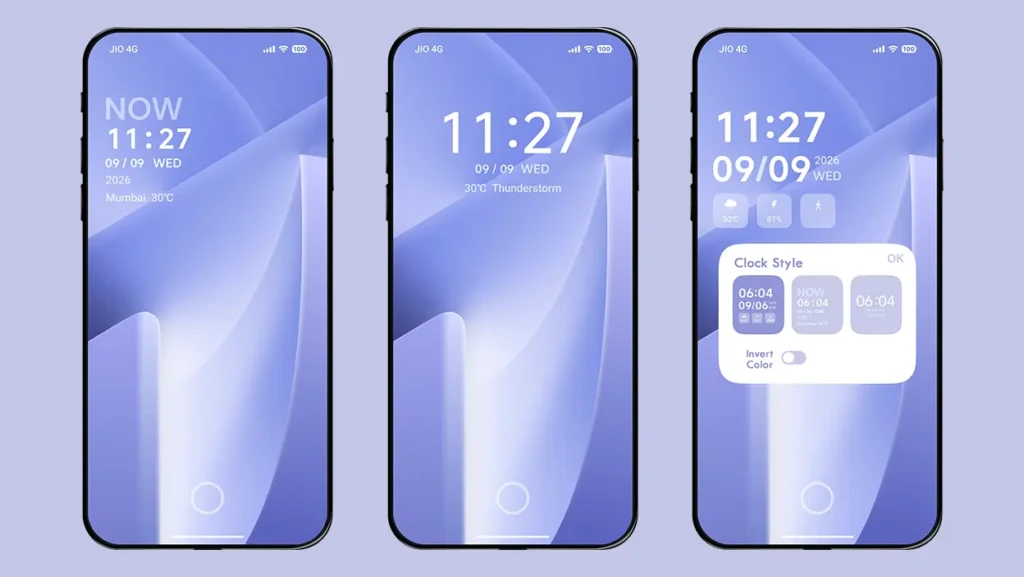
The lock screen is very minimalist, where you can see only the date, time, and small widgets showing weather information, battery information, and step count. Apart from these, there are two other clock styles, both in a simple format that maintains the minimal aesthetics. You can double-tap on the lock screen time and choose between any of the three styles at any time, including dark or light colors for the elements.
The lock screen does not offer much customization apart from the option to use a custom wallpaper, keeping the overall look simple and clutter-free.
Minimal and Elegant Interface
The overall theme approach revolves around a clean, minimal, and elegant interface without any complex UI elements or unnecessary features. Its simplicity makes it a better choice for daily use compared to other heavy themes.
The carefully balanced elements make the interface look clean without feeling too plain, giving your device a premium appearance.
Other UI Changes
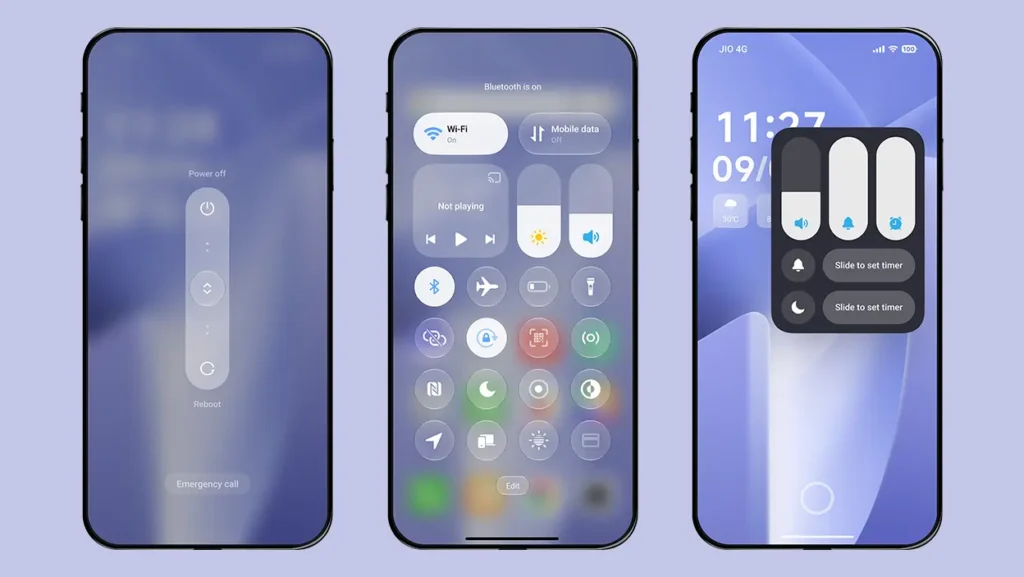
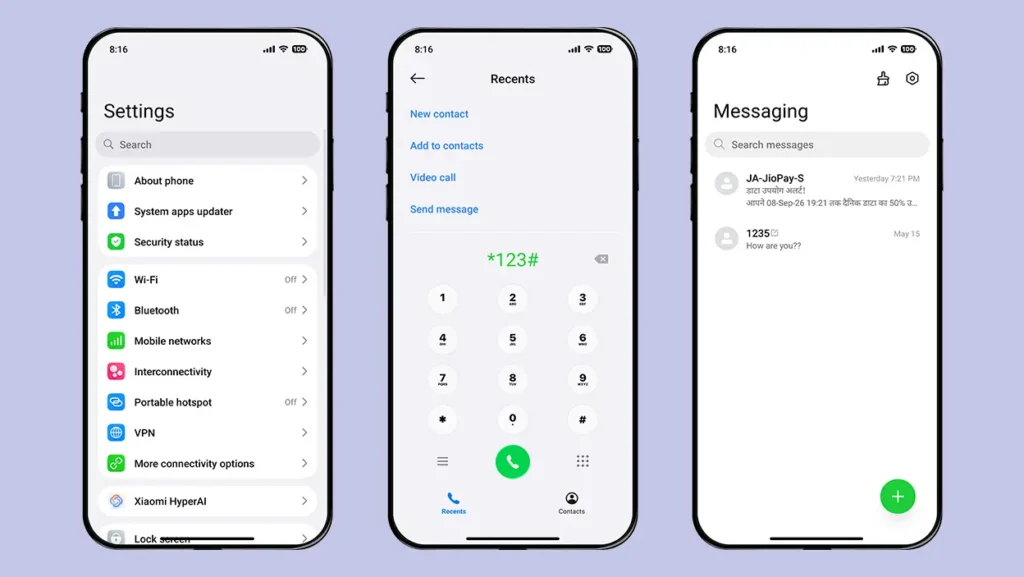
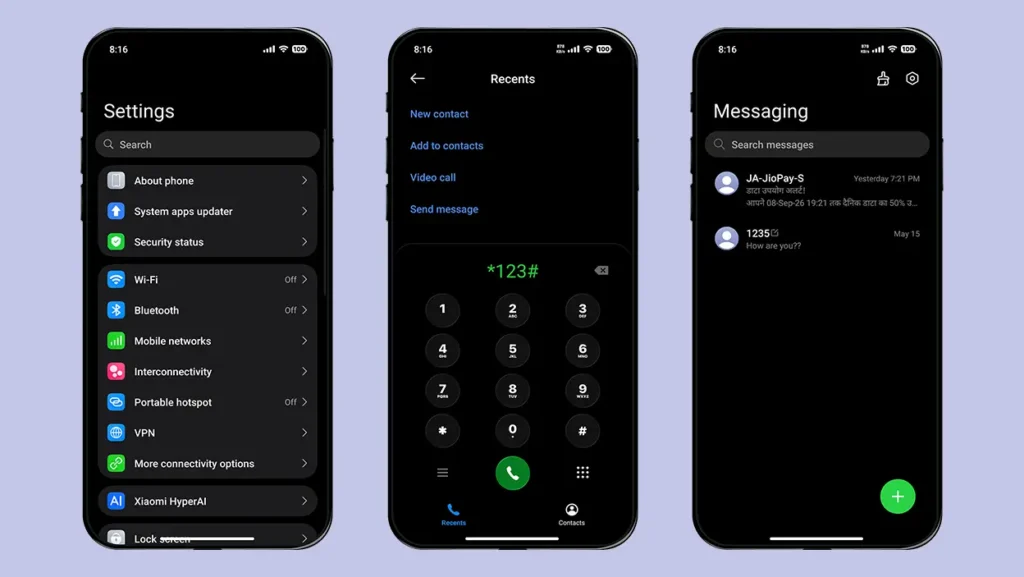
Being simple doesn’t mean this theme has no other changes apart from the icons and lock screen. An adequate number of changes have been made to the Dialer, Settings app, Messaging app, and other parts of the system. It also features a redesigned Control Center with a glass-effect UI that looks much better than the stock HyperOS Control Center.
The status bar icons are also redesigned and look more iOS-inspired. You will notice several other subtle changes during your regular theme usage, which further improve the overall visual experience.
Dark Mode Support
No need to worry if you are a dark mode user, as the theme has you covered. All the elements are carefully adapted for dark mode, providing you with a seamless experience even when using your device in dark mode.
The dark appearance also maintains the theme’s minimal and elegant design, ensuring that the interface doesn’t lose its visual appeal when switching between light and dark modes.
Consistent Visual Experience
The theme combines its different elements in a way that keeps the overall design consistent throughout your usage. You will notice that the lock screen date and time design matches the home screen widget, while the icons also follow the same visual style. Even the wallpaper choice complements the overall appearance of the theme.
Lightweight and Performance-Friendly Design
Due to its lightweight design, the overall experience of this theme is buttery smooth. Animations feel smooth, battery performance is good, and the simple and elegant UI makes it worth trying.
Unlike themes that add too many heavy visual elements, Muses keeps things simple and focused, which helps maintain a smooth experience during everyday use.
Theme Screenshots, Download Links & Installation Guide
Here are the complete screenshots, theme details, download link, and installation guide for the Muses HyperOS Theme. Follow the steps carefully to apply this MTZ theme successfully on your Xiaomi, Redmi, or Poco device.
Theme Screenshots
Take a look at the theme and its features to see how they will look on your device before you try it.
Theme Information
| Name: | Muses |
| Designer: | Lilfox |
| Compatibility: | HyperOS 1.0 | 2.0 | 3.0 |
| Size: | 75.4 MB |
| Type: | MTZ File |
Download Links
Using a Global ROM? Learn how to permanently apply MTZ themes on your Xiaomi, Redmi, or POCO device.
How to Install Muses Theme
Applying this MTZ theme is quick and easy. Simply follow the steps below to import the downloaded MTZ file through the Themes app and apply it successfully to your device.
- Open the Themes app on your device.
- Go to My Account.
- Tap on the Themes option.
- You’ll see a list of your pre-installed themes. Scroll down and tap on the Import option.
- Locate and select the Muses [ENG].mtz file you downloaded.
- The theme will be added to your themes list.
- Finally, tap on the theme and press Apply to set it on your device.
Final Verdict
Muses HyperOS Theme is a great choice for users who prefer a clean, minimal, and premium-looking interface. Its beautifully designed 1200+ icons are the biggest highlight, while the clutter-free lock screen, redesigned Control Center, iOS-inspired status bar, and consistent UI add to the overall experience.
If you are looking for a lightweight theme with a simple yet elegant design for everyday use, Muses HyperOS Theme is definitely worth trying.
If you enjoyed the theme, don’t forget to share it with your friends and fellow Xiaomi users. Also, feel free to share your thoughts and experience in the comments section. If you encounter any issues while installing the theme, notice any bugs, or find any translation issues, please let us know in the comments.
Amazing 😍
Bro, please also add an English version of the Guofeng 26 theme.
I’m glad your website is finally working again. What happened? Why was the website messed up?
Due to word press latest update, our website’s theme revert back to default one.