

If you want a modern, elegant, and highly customizable theme for your HyperOS powered Xiaomi, Redmi, or Poco smartphone, Free Canvas is one of the best HyperOS themes you can install. With its beautiful glass-effect design, refined icons, flexible widgets, and ColorOS 16 style lock screen, this theme transforms your device into a premium visual experience.
Modern Glass-Effect UI Design
The Free Canvas Theme revolves around its glass morphism interface. Almost every visual element—panels, cards, widgets, and dock bar—features a subtle blur and transparency effect. This gives the theme a polished, minimal, and visually refined appearance.
ColorOS 16 Lock Screen With Full Customization
The ColorOS 16–inspired lock screen is one of the biggest highlights of Free Canvas Theme. Users can fully customize the lock screen features like:
- Clock styles
- Widget placement and selection
- Layout arrangement
- New Charging Animation
This flexible lock screen gives users complete creative control, making the final design entirely unique and based on personal preference.
Glass-Style Icons & Dock Bar
The theme includes a clean and beautifully designed icon pack featuring a smooth glass-like finish. The dock bar also carries the same glass aesthetic for a unified, premium look across the home screen.
Glass-Effect Home Screen Clock Widget
The included home screen clock widget follows the same glass-effect styling, blending perfectly with the icons and layout to create a cohesive interface.
Depth-Effect Lock Screen Animation
The lock screen supports depth-effect wallpaper animations that add motion, realism, and a dynamic feel every time you unlock your device.
Compatible With All HyperOS Devices
Free Canvas is designed for all HyperOS devices, including Xiaomi, Redmi, and Poco phones, offering smooth transitions, clean UI elements, and beautiful animations.
Theme Screenshots
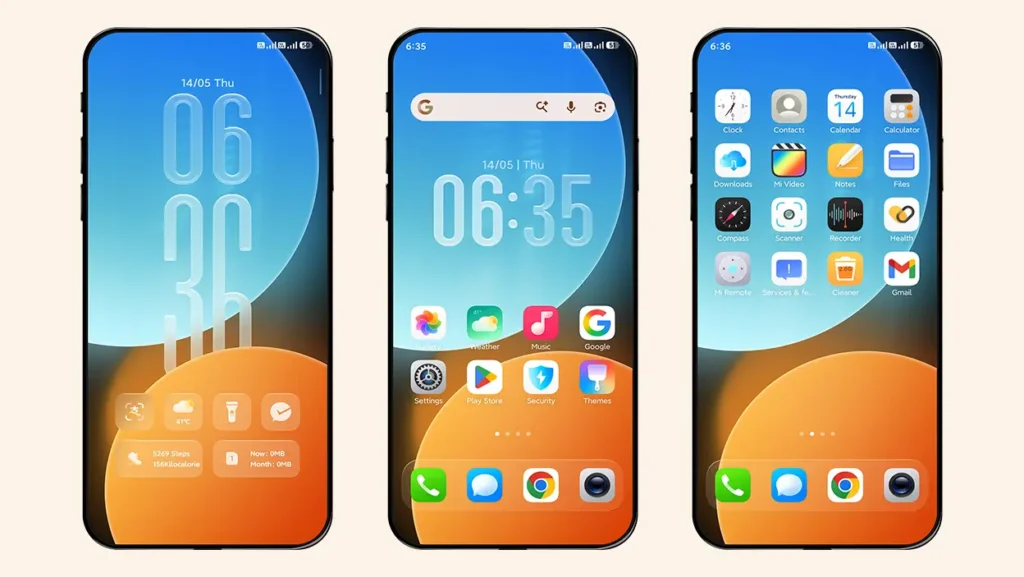
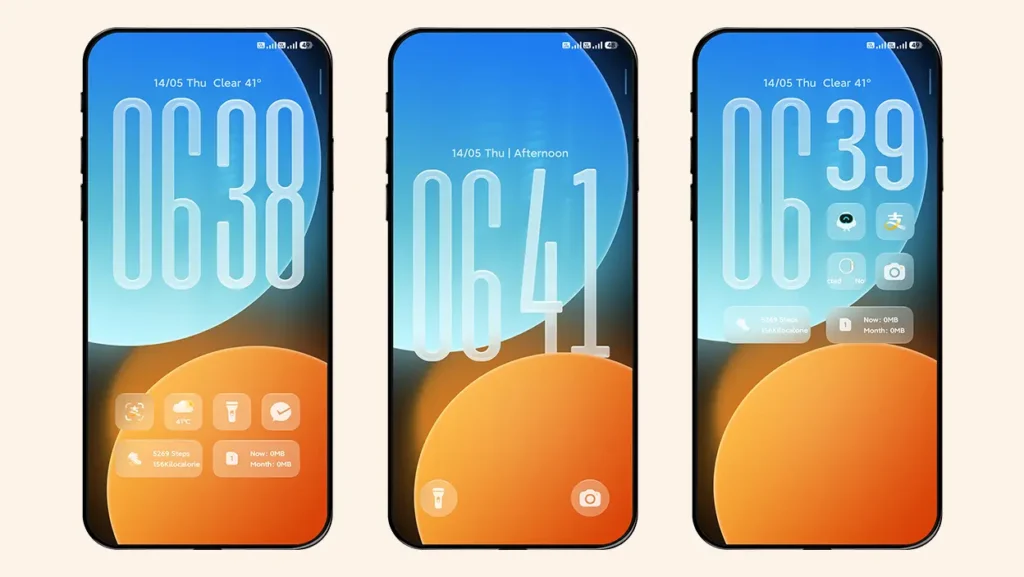
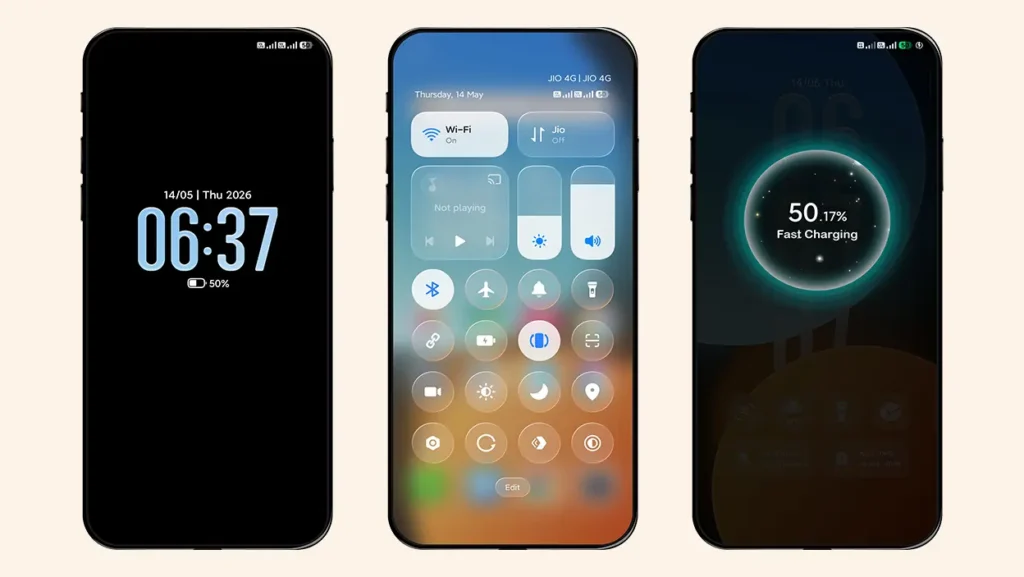
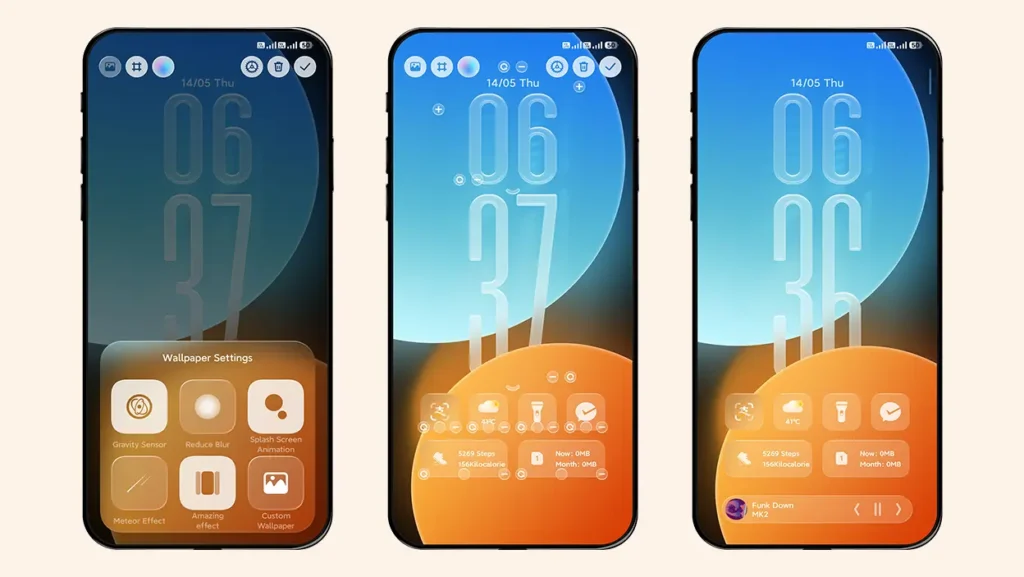
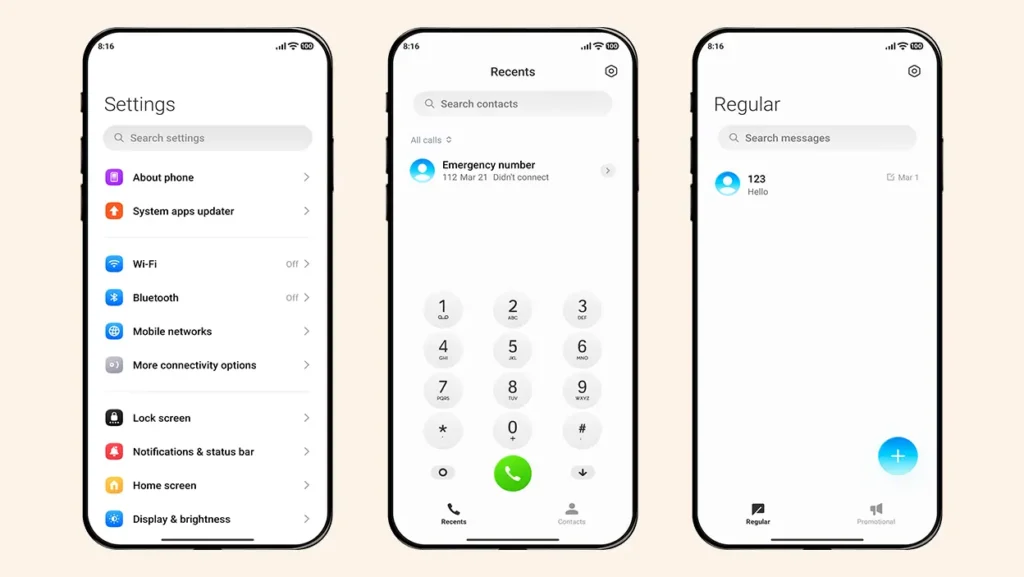
Theme Information
| Name: | Free Canvas |
| Designer: | 怪脾气 |
| Compatibility: | HyperOS | MIUI |
| Size: | 44.2 MB |
| Type: | MTZ File |
Download Links
MTZ File Installation Guide
Follow these simple steps to install an .mtz theme file on any Xiaomi, Redmi or Poco Device:
- Open the Themes app on your device.
- Go to My Account.
- Select the Themes option.
- You’ll see a list of your pre-installed themes. Scroll down and tap on the Import option.
- Locate and select the Free Canvas [ENG].mtz file you downloaded.
- The theme will be added to your themes list.
- Finally, tap on the theme and press Apply to set it on your device.
Hope you enjoy the theme! If you do, please share our website with your friends. If you find any bugs, feel free to let us know in the comments.
Hello There. I found your weblog the usage of
msn. That is a really well written article. I’ll be sure to bookmark it and return to learn extra of your
helpful information. Thanks for the post. I’ll certainly return.
Интересная статья, спасибо за информацию!