

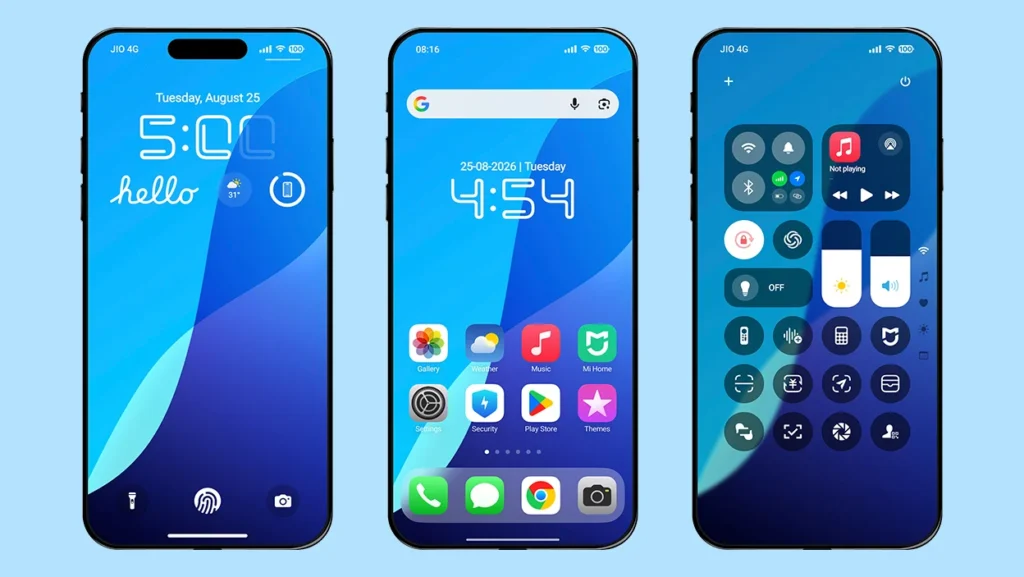
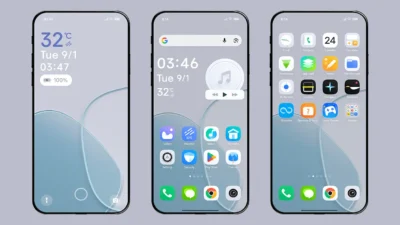
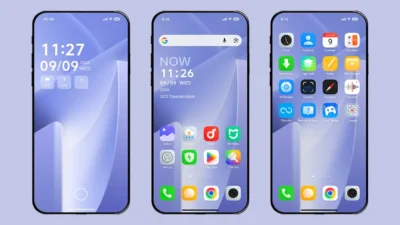
We are back with another HyperOS theme that lets you experience iOS 18-style UI design and features on Xiaomi, Redmi and POCO smartphones. Fruit Wind 18 is a fully iOS 18-inspired theme featuring iOS-style icons, advanced lock screen, depth effect wallpapers, Dynamic Island, and much more.
Unlike the newer iOS 26-inspired HyperOS themes we have covered recently, Fruit Wind 18 focuses on the familiar design language of iOS 18, making it a great choice for users who prefer a cleaner and more refined iPhone-inspired interface.
Whether you’re bored with the default HyperOS interface or want to experience an iOS 18-style UI with its features, this theme is a great choice for refreshing your device’s overall look. It doesn’t just change the interface; it can completely transform the appearance of your device, making it feel like a brand-new phone.
Fruit Wind 18 HyperOS Theme Key Features
The theme offers a wide range of iOS-inspired features and elements, making it a great choices for achieving an iOS-style look on your device. Let’s explore its features one by one.
iOS 18-Style Icons
Fruit Wind 18 comes with high-quality icons inspired by iOS 18, giving your home screen a complete iOS-style makeover. The icon pack supports the majority of system apps and follows a symmetrical design and layout to maintain a consistent appearance throughout the interface.
Advanced iOS 18-Style Lock Screen
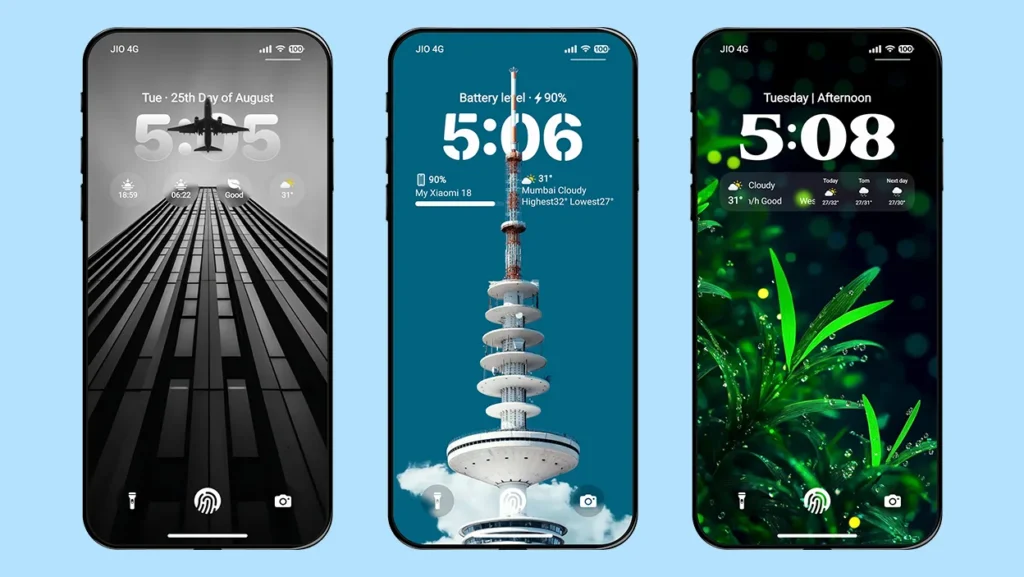
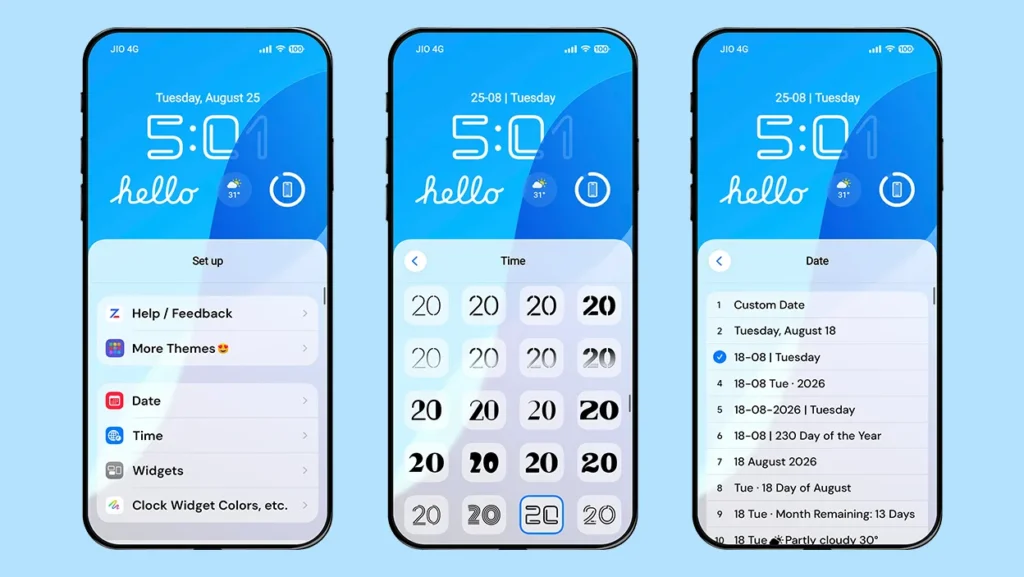
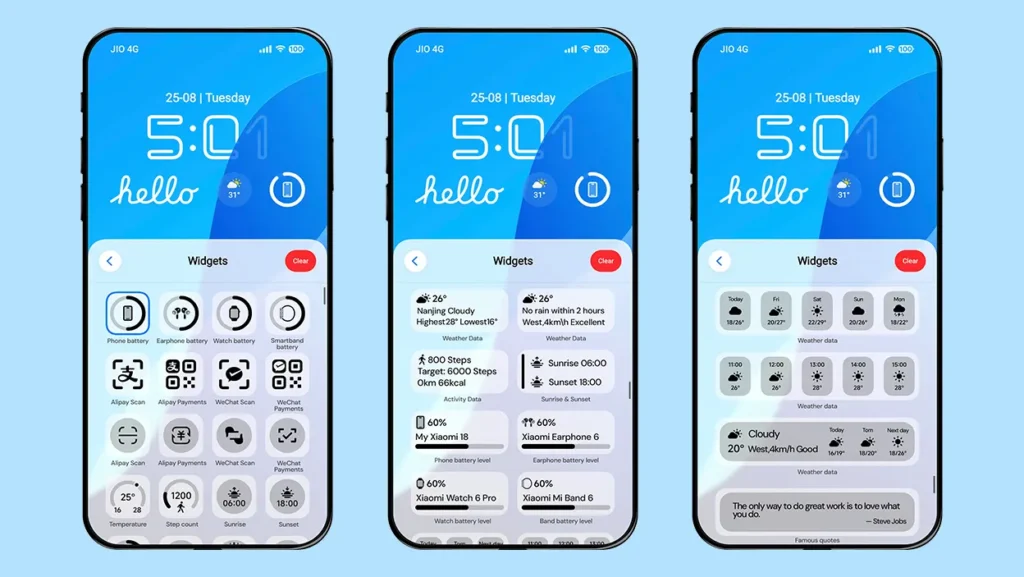
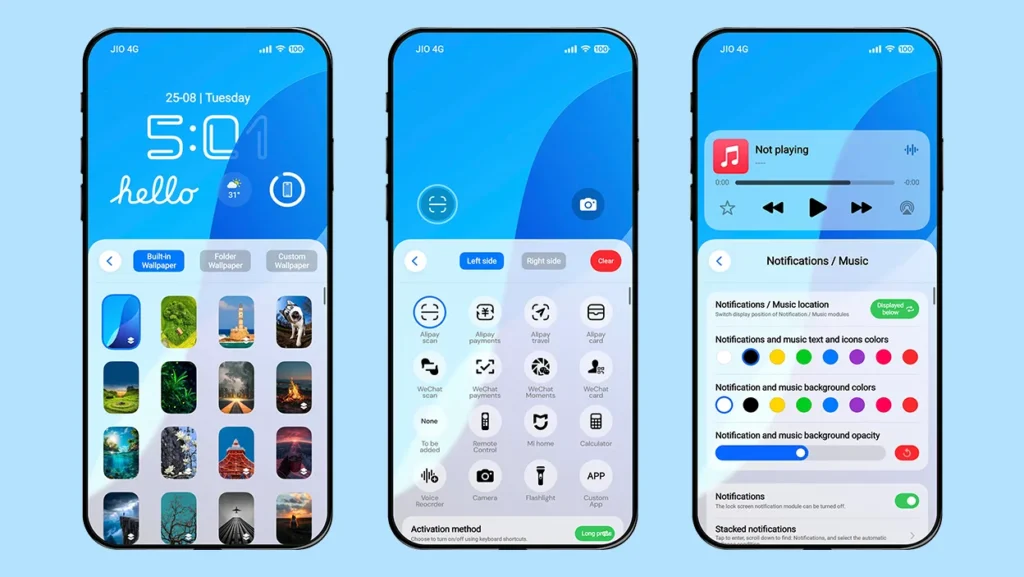
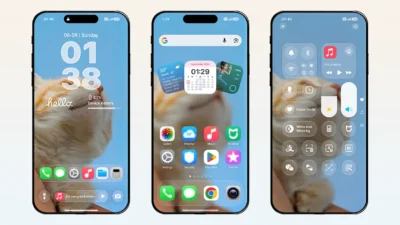
Another major highlight of the Fruit Wind 18 theme is its lock screen. It offers extensive customization options while maintaining a clean and aesthetic appearance. You can create an iOS-style setup and customize various elements, including wallpapers, widgets, date styles, fonts, animations, and more. Despite offering so many customization options, the lock screen maintains a clean and polished look.
Charging Animations
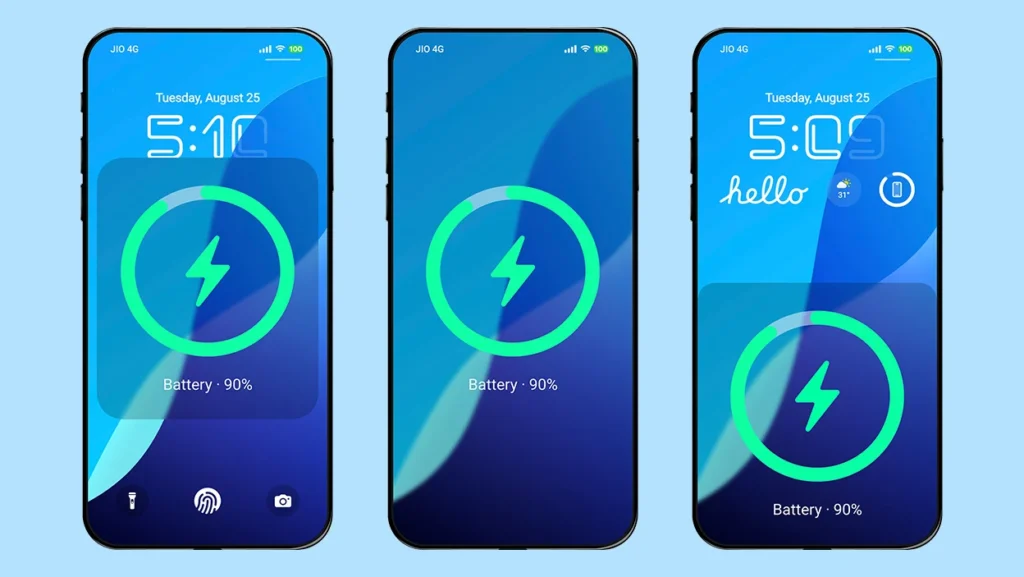
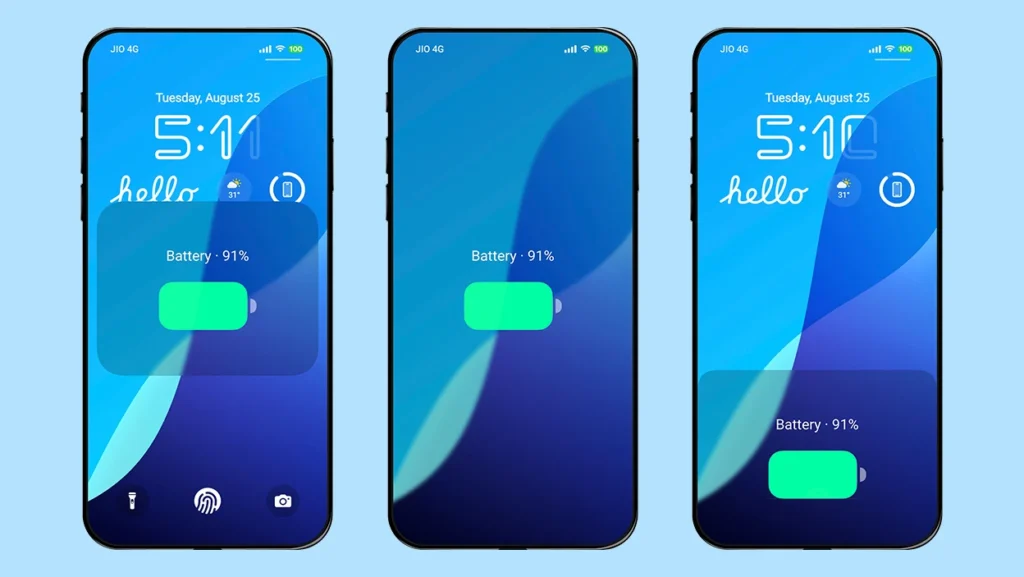
The theme includes six different charging animation styles, each inspired by the iOS design. You can choose from:
- MagSafe Circular Style (full screen)
- MagSafe Circular Style (bottom half screen)
- MagSafe Ring Design (floating in the middle)
- Battery Style (full screen)
- Battery Style (bottom half screen)
- Battery Style (floating in the middle)
It is rare to find a theme that offers so many charging animation options. If you prefer the default system charging animation, you can disable the Theme Charging Animation option in the lock screen settings.
Control Center
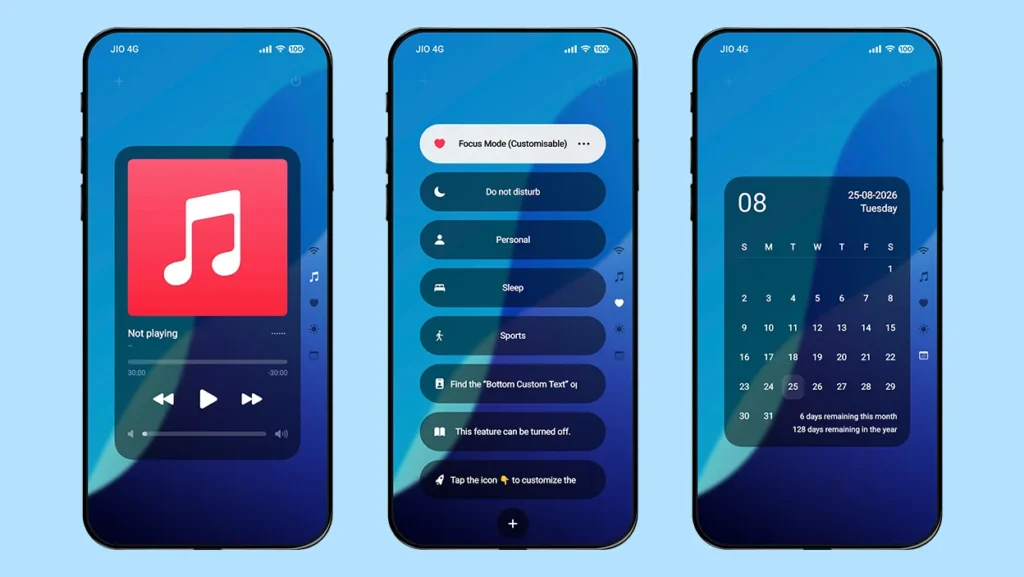
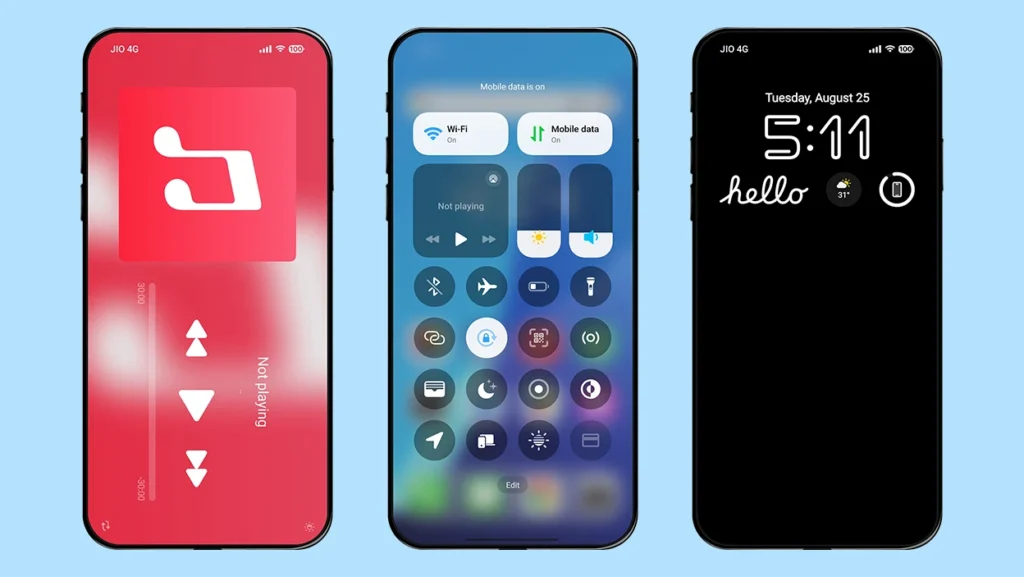
To make the iOS 18 experience more immersive, the theme includes an iOS-inspired Control Center. Its design and layout closely resemble those found on an iPhone, with quick controls for Wi-Fi, Bluetooth, sound, flashlight, screen recording, and more.
You can also swipe through the Control Center to access additional panels for Music, Focus Mode, Weather, and Calendar.
Note: The custom Control Center can only be accessed from the lock screen, and you need to enable it from the lock screen settings.
Dynamic Island
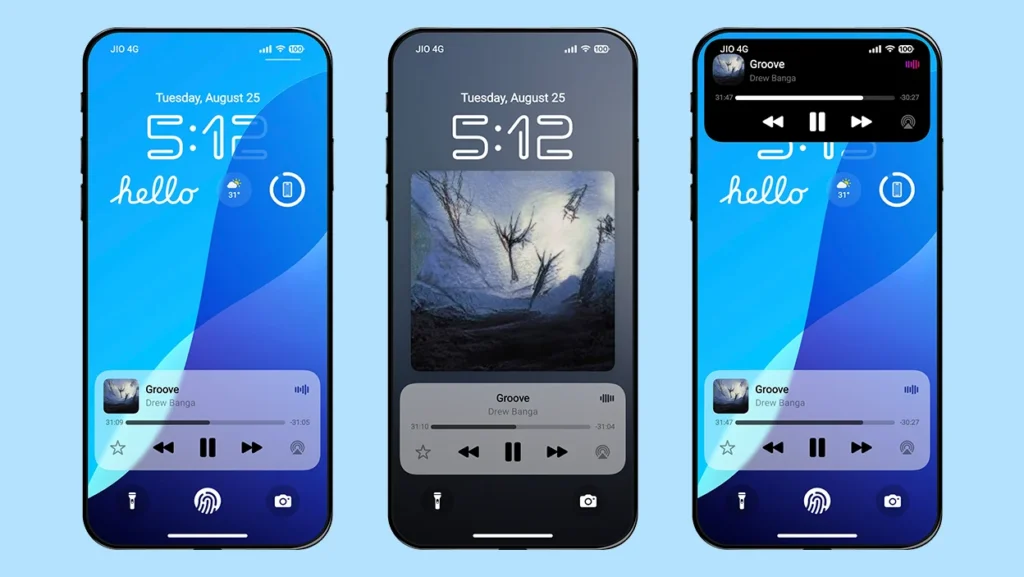
You can enjoy a Dynamic Island-style feature on your Xiaomi, Redmi, or POCO smartphone with this theme. The Dynamic Island, also referred to as Smart Island, can display music information and controls, recent notifications, charging information, and a simulated flashlight indicator when the flashlight is turned on.
The theme also offers five different Dynamic Island styles, allowing you to choose the design that best matches your preference.
iOS-Style Depth Effect Wallpapers
The theme includes 20 high-quality depth-effect wallpapers to give your device a fresh new look. You can further customize these wallpapers using options such as depth effect, zoom, horizontal and vertical positioning, darkening effect, and 3D gravity effect.
You can also use your own custom wallpapers. If you have multiple wallpapers, you can choose the folder wallpaper option to rotate between them.
Multiple Date Styles and Time Formats
Fruit Wind 18 offers multiple font styles and customization options for the time displayed on the lock screen. You can change the time design and adjust parameters such as time format (12-hour, 24-hour, or system format), opacity, scaling, color, and horizontal and vertical positioning.
The date section also supports multiple font styles and formats. Along with the date, you can display useful information such as weather, step count, month and year information, weather details, charging status, AQI, and quotes.
Customizable and Useful Widgets
Go beyond the limited customization options of the stock theme and personalize your lock screen with multiple widget styles and formats. You can display useful information such as battery status for your phone, earphones, smart band, or smartwatch, detailed weather information, daily activity data, custom images and text, alarm status, calendar information, custom quotes, and more.
Real-Time Weather
The theme includes a real-time weather feature that displays current weather information directly on the lock screen with animations based on the current weather conditions, such as clouds, sunlight, and rain, making the lock screen feel more dynamic.
Always-on-Display Mode
After enabling this feature, you can double-tap the lock screen to enter Always-on-Display mode. Unlike the standard AOD mode in HyperOS, this implementation allows you to keep the display active for either 10 seconds or continuously until the power button is pressed.
The feature works particularly well on AMOLED displays, but it can also be used on devices with IPS displays.
It also includes an iPhone-style AOD mode that lets you blur and darken the wallpaper. You can additionally hide widgets and notifications for a cleaner appearance.
Separate Customization for the Home Screen
Fruit Wind 18 also provides separate customization options for the home screen. From the lock screen customization menu, tap “Desktop Wallpaper” to access the available home screen settings.
Here, you can customize features such as wallpapers, Dynamic Island, real-time weather, blur effects, 3D gravity effects, and the dock background, all in one place.
Note: Additional customization options can be accessed through the theme’s lock screen settings. Open Themes app → My account → Lock style → Customize (Gear icon).
Theme Screenshots, Download Links & Installation Guide
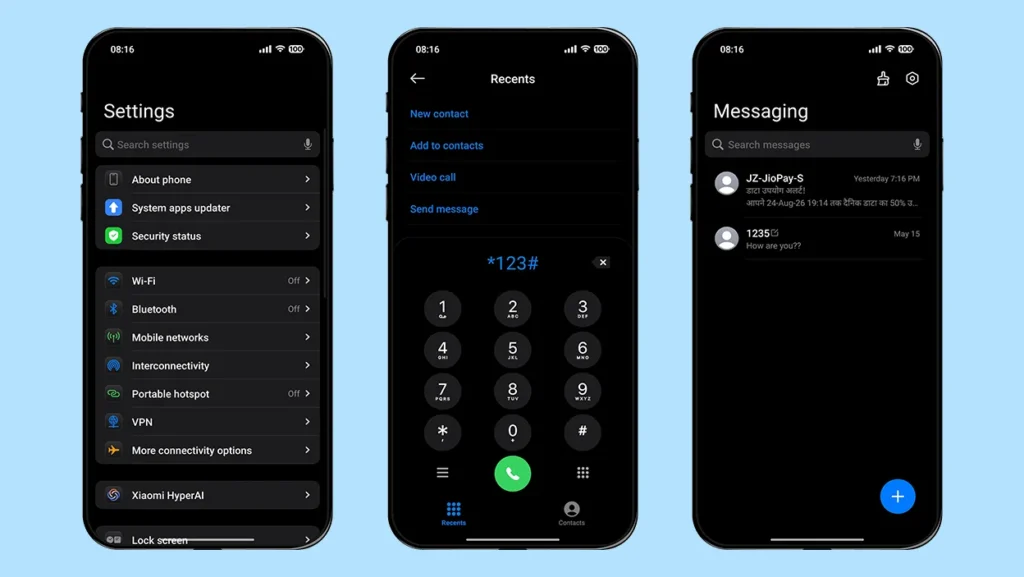
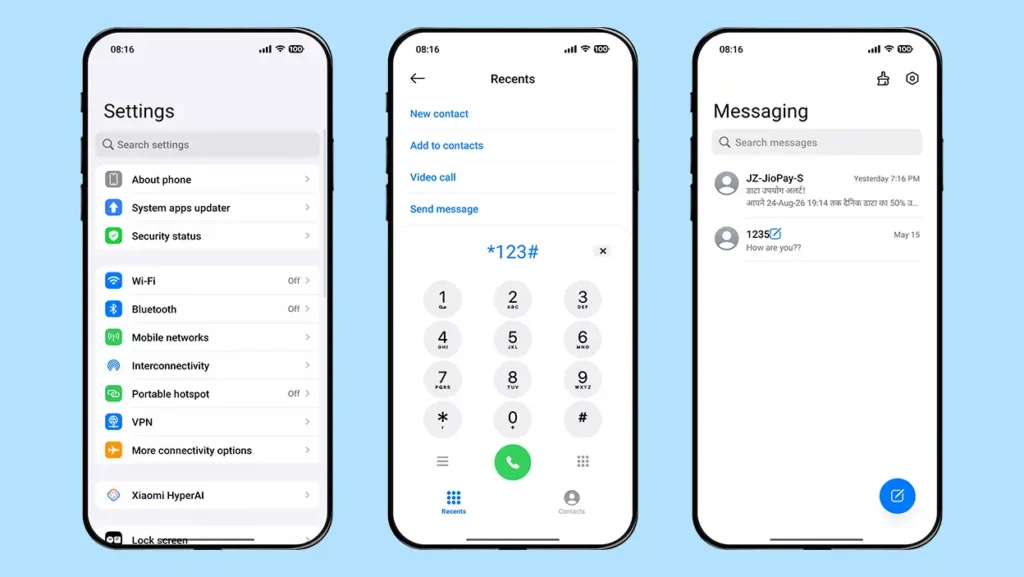
Here are the complete screenshots, theme details, download link, and installation guide for the Fruit Wind 18 HyperOS Theme. Follow the steps carefully to apply this MTZ theme successfully on your Xiaomi, Redmi, or Poco device.
Theme Screenshots
Theme Information
| Name: | Fruit Wind 18 / 果风18 |
| Designer: | 凡凡 |
| Compatibility: | HyperOS 1.0 | 2.0 | 3.0 |
| Size: | 55.8 MB |
| Type: | MTZ File |
Download Links
Using a Global ROM? Learn how to permanently apply MTZ themes on your Xiaomi, Redmi, or POCO device.
How to Apply MTZ Theme
Applying this MTZ theme is quick and easy. Simply follow the steps below to import the downloaded MTZ file through the Themes app and apply it successfully to your device.
- Open the Themes app on your device.
- Go to My Account.
- Tap on the Themes option.
- You’ll see a list of your pre-installed themes. Scroll down and tap on the Import option.
- Locate and select the Fruit Wind 18 [ENG].mtz file you downloaded.
- The theme will be added to your themes list.
- Finally, tap on the theme and press Apply to set it on your device.
Final Verdict
Fruit Wind 18 is a feature-rich HyperOS theme that brings a complete iOS 18-inspired experience to Xiaomi, Redmi and POCO smartphones. If you prefer the cleaner and more aesthetic look of iOS 18 over the newer iOS 26-inspired design, then this Xiaomi theme is definitely worth trying. Its extensive customization options also give you plenty of freedom to personalize the experience according to your preferences.
Overall, Fruit Wind 18 is a great choice for anyone looking to give their HyperOS device a fresh iPhone-inspired makeover without changing the device itself.
If you enjoyed the theme, don’t forget to share it with your friends and fellow Xiaomi users. Also, feel free to share your thoughts and experience in the comments section. If you encounter any issues while installing the theme, notice any bugs, or find any translation issues, please let us know in the comments.
I love it, it’s amazing! Please make the Gold Label OS27 theme available in English as well. ❤️