
So far, we have explored iOS themes and Samsung One UI themes for Xiaomi devices. Today, we are looking at a theme that brings a clean Stock Android experience to your Xiaomi, Redmi, or Poco smartphone.
One of the biggest advantages of owning a Xiaomi, Redmi, or Poco device is the ability to completely change its appearance without installing a custom ROM or switching to a different smartphone. With just a theme, you can enjoy a completely different user interface and visual experience.
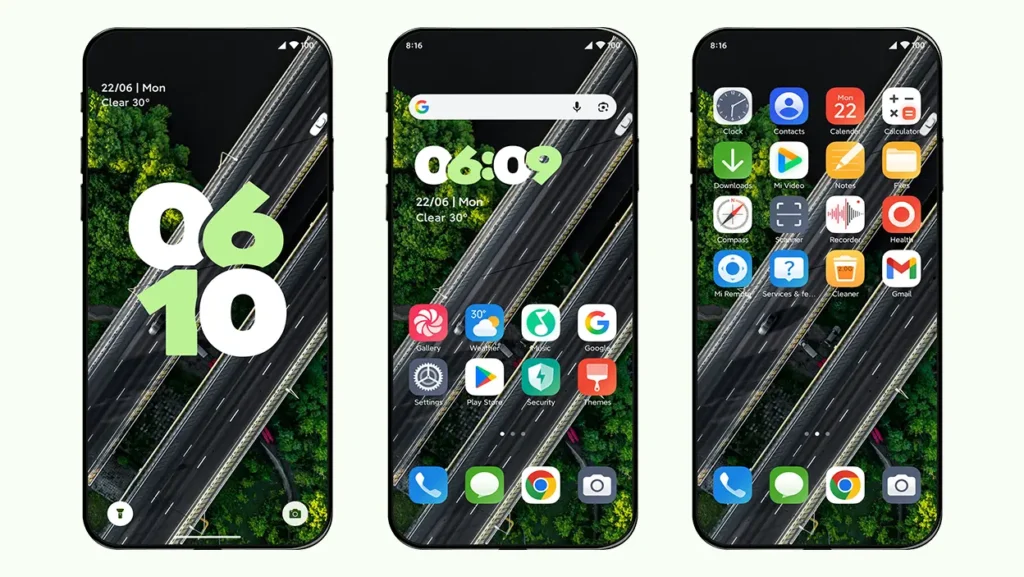
Shu HyperOS Theme is designed for users who love Google’s Stock Android aesthetic. This theme is inspired by Android 16 and transforms your lock screen, icons, status bar, and system interface while maintaining smooth performance and stability. If you prefer a minimal and clutter-free design, Shu Theme might be one of the best Stock Android themes available for HyperOS users right now.
Key Features of Shu HyperOS Theme
Shu HyperOS Theme is packed with several advanced features that help it stand out from other Xiaomi themes.
Android 16 Style Lock Screen
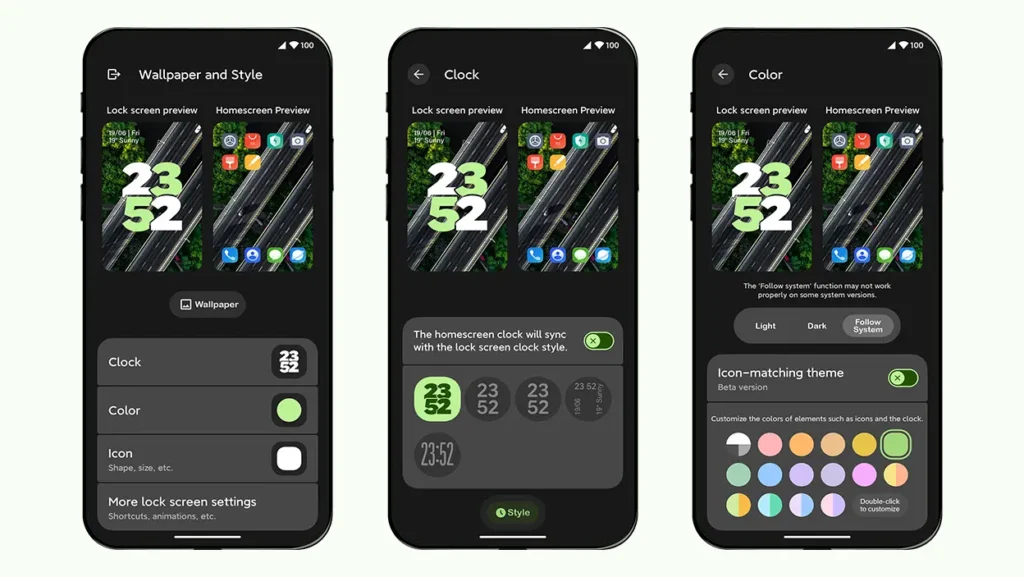
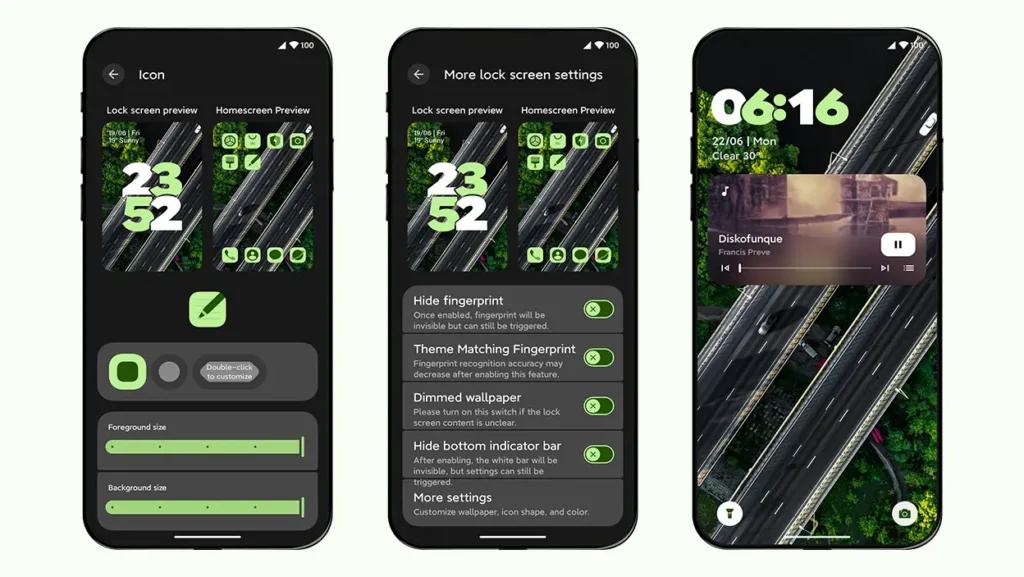
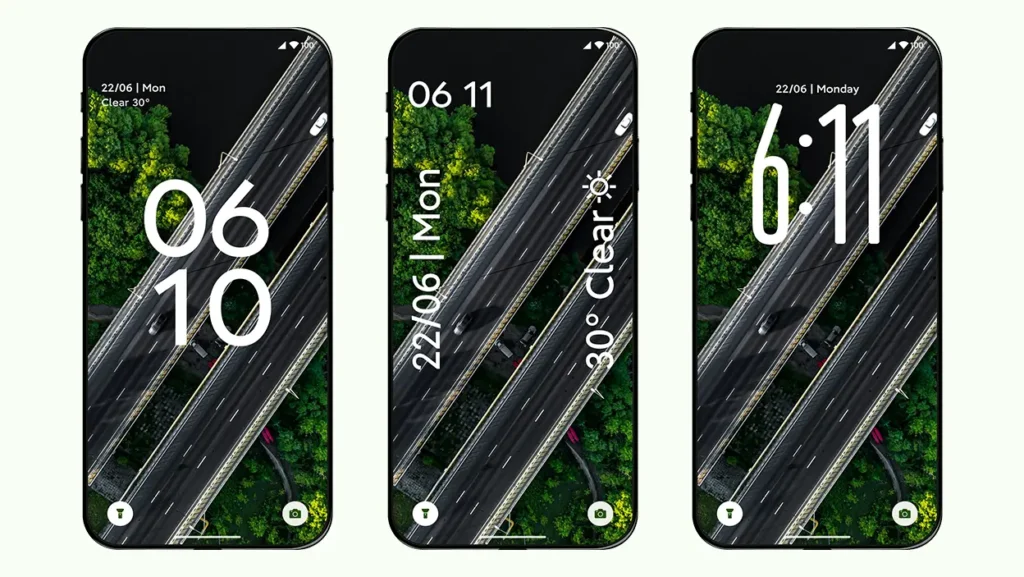
The Android 16-inspired lock screen is one of the main highlights of this theme. Choose between 5 different styles of lock screen clocks that suits your personal taste. Double tap on the bottom white bar on the lock screen to customise it further.
Icons Matching Theme
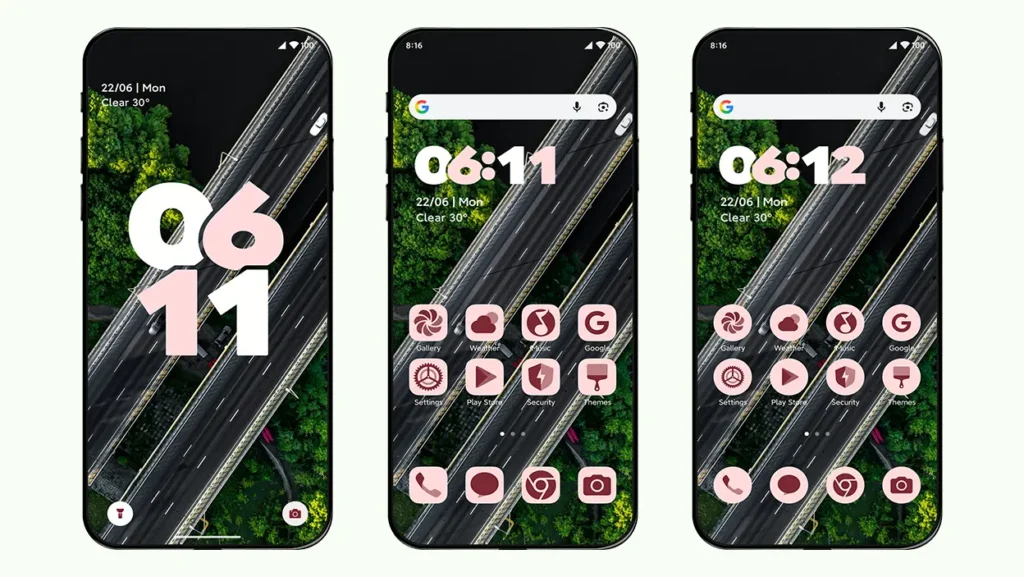
One of the most unique features of this theme is its icon customization system. You can change the color of homescreen icons to match your wallpaper or color scheme. It also allows you to change icon shapes, including round, square, and several other styles to match your personal preference.
Wide variety of color schemes
Select your preferred color from the lock screen, and the entire theme—including icons, clocks, and other UI elements—will automatically adapt to the selected color scheme. This feature is very similar to Google’s stock Android 16 feature where the entire system UI automatically follows a certain color scheme.
Status Bar
The status bar icons, including mobile network, Wi-Fi, and battery indicators, are redesigned to closely match the appearance of Stock Android. These subtle changes help maintain visual consistency throughout the theme.
Minimal Design with Performance
It is well optimised with clean and minimal design, which makes this theme run smoothly even on older devices.
Other Components
Settings app is well designed keeping the original material style elements along with visual enhancements. Minor customizations can also be found in the Contacts, Dialer, and Messaging apps.
Areas for Improvement
We honestly think that this theme is very well designed and optimised. It delivers one of the closest Stock Android experiences currently available for HyperOS devices. But still, there are certain areas that need improvement in the future updates.
Icons limitations
Since the ‘Icon Matching’ and ‘Icon Shape’ features are currently in beta, they are limited to system icons only, which breaks the overall consistency of the theme.
UI Elements
You will not find many visual changes in control center, volume panel, Dialer, Messaging app, power menu, etc. which may be a deal-breaker for some users.
Less Animations
Animations often make a theme feel more polished and interactive. The designer choose to make this theme performance oriented and hence, you will see less animations. Though, it will also improve your battery performance.
Theme Screenshots, Download & Setup
Here are the complete screenshots, theme details, download link, and installation guide for the Shu HyperOS Theme. Follow the steps carefully to apply this MTZ theme successfully on your Xiaomi, Redmi, or Poco device.
Theme Screenshots
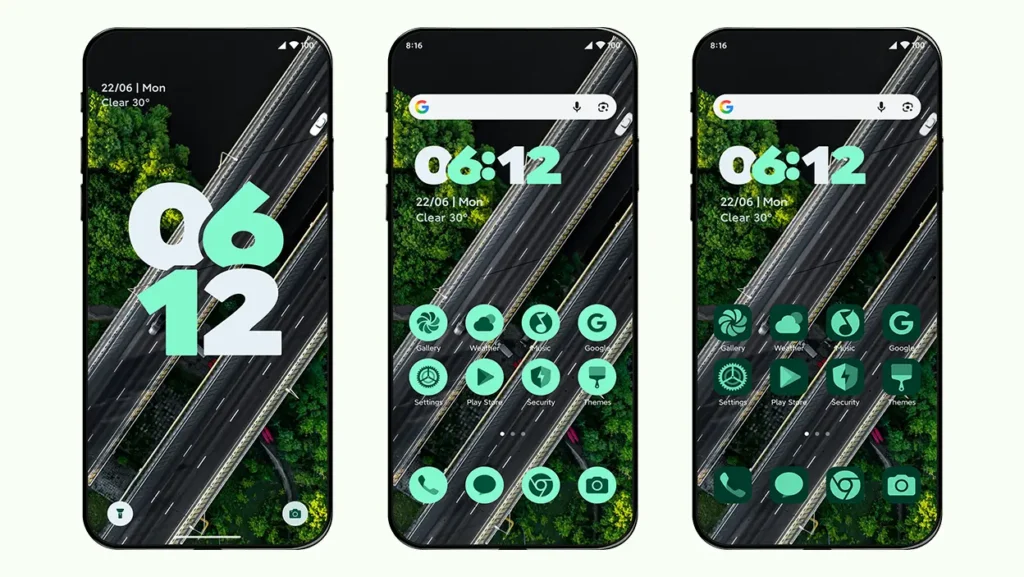
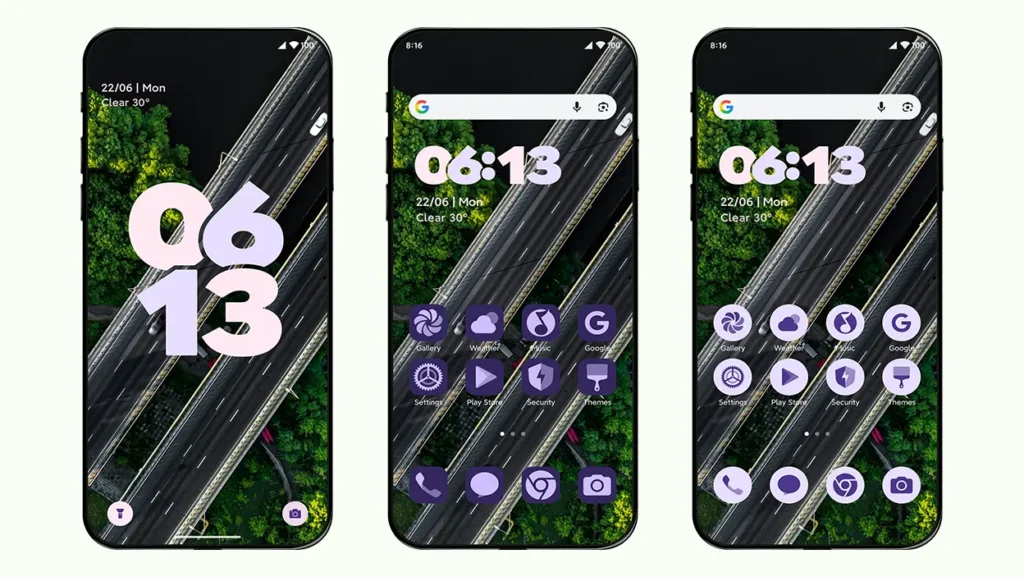
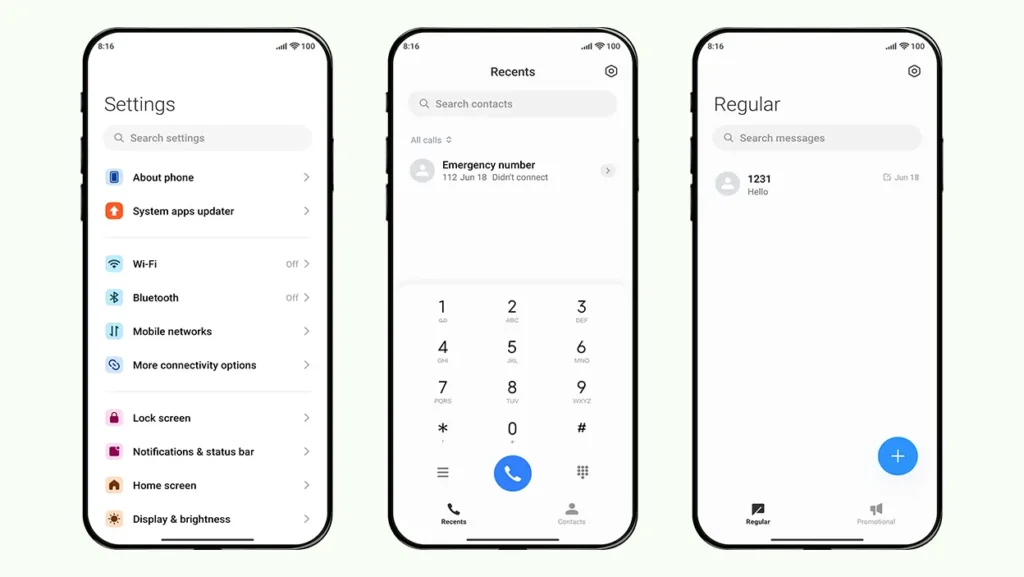
Theme Information
| Name: | Shu/舒 |
| Designer: | 鲸落雨 |
| Compatibility: | HyperOS 1.0 | 2.0 | 3.0 |
| Size: | 47.9 MB |
| Type: | MTZ File |
Download Links
How to Apply MTZ Theme
- Open the Themes app on your device.
- Go to My Account.
- Select the Themes option.
- You’ll see a list of your pre-installed themes. Scroll down and tap on the Import option.
- Locate and select the Shu [ENG].mtz file you downloaded.
- The theme will be added to your themes list.
- Finally, tap on the theme and press Apply to set it on your device.
Final Verdict
If you prefer a clean, lightweight, and Stock Android-inspired interface, Shu HyperOS Theme is definitely worth trying. Its Android 16-style lock screen, dynamic icon customization, Material Design aesthetics, and smooth performance make it one of the most unique HyperOS themes available for Xiaomi, Redmi, and Poco devices. The overall experience of this theme is really impressive.