

Tired of the same old lock screen on your smartphone? Presenting the Raster Seasonal Lock Screen Card HyperOS Theme, featuring one of the most advanced lock screens ever designed for Xiaomi, Redmi, and POCO smartphones. It combines stunning visuals with a wide range of practical features to deliver a truly premium user experience.
Lock screen customization has become one of the most important aspects of modern HyperOS themes. You might have already explored our collection of the best iOS themes featuring innovative lock screen designs, but this theme takes lock screen customization and functionality to a whole new level.
Key Features of Raster Seasonal Lock Screen Card Theme
Get ready to explore the incredible features that make this theme one of the most advanced HyperOS themes available.
Advanced & Futuristic Lock Screen
The biggest highlight of this theme is its incredibly advanced lock screen, packed with premium features that make your Xiaomi, Redmi, or POCO smartphone feel more modern and personalized. Below are some of its standout features.
Lock Screen Cards
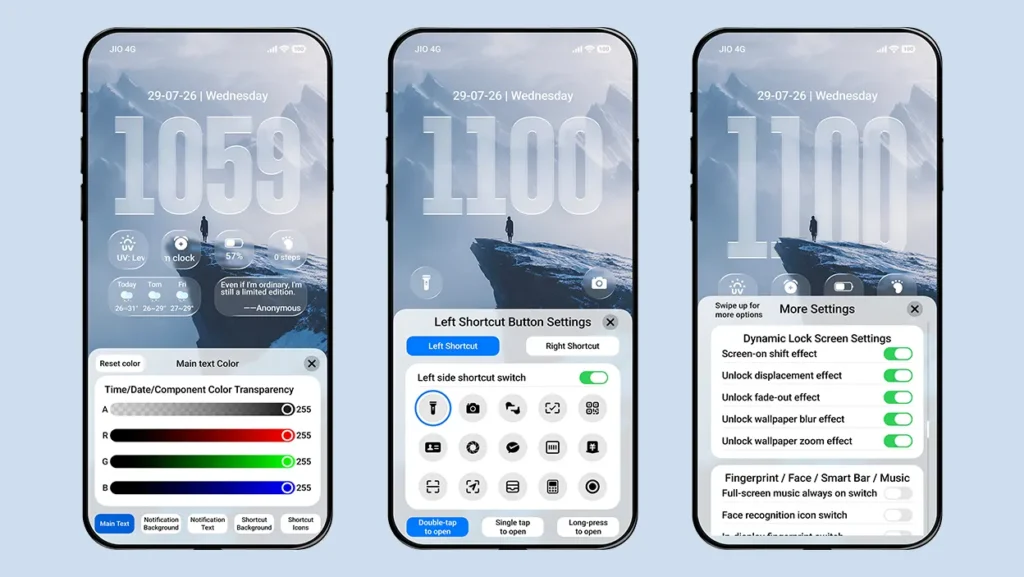
One of the most unique features of this theme is the Lock Screen Cards. It displays multiple types of device information inside a small glass-effect capsule at the bottom of the lock screen. Simply swipe left or right on the capsule to switch between different cards, and tap it to view detailed information in an expanded card layout.
It can display Music, Weather, Calendar, Step Count, Battery, Clock, and SIM information.
Raster Effect
Tilt your device left or right to see the magic. Every wallpaper included with this theme features a built-in raster animation that changes the wallpaper between day and night effects depending on your device’s movement. It’s a premium visual feature that is rarely found in other HyperOS themes.
Multiple Widget Support
Enable lock screen customization to unlock one of the most powerful widget systems available in any theme so far. It features a unique dual-layer widget layout, allowing both layers to be customized independently using 1×1, 1×2, or 4×4 widget styles.
With support for more than 100 widgets, you can display almost every important piece of information directly on your lock screen, making it an excellent choice for widget lovers.
Variety of Date Formats
Choose from multiple date layouts ranging from a simple date display to detailed information such as AQI, location, step count, battery status, alarm, storage, earphone battery, SIM data usage, and complete weather information.
Glass Effect Clock with Multiple Font Styles
The main lock screen clock is inspired by the latest iOS 26 design, featuring a beautiful glass effect, adjustable height, and multiple font styles. You can also disable the glass effect and Gaussian blur if you prefer a solid-colored clock.
Multiple Bottom Shortcuts
Customize the left and right bottom shortcuts for quick access to your favorite apps or remove both shortcuts entirely for a cleaner lock screen. The theme includes 15 built-in shortcuts, which can be assigned to either side.
Depth Effect Wallpapers
Enjoy a collection of high-quality depth effect wallpapers for both the lock screen and home screen. Every wallpaper also supports the Raster Effect. The theme additionally supports custom wallpapers, depth effect wallpapers, and folder wallpapers, allowing you to personalize your device even further.
iOS-Style Modern UI Design
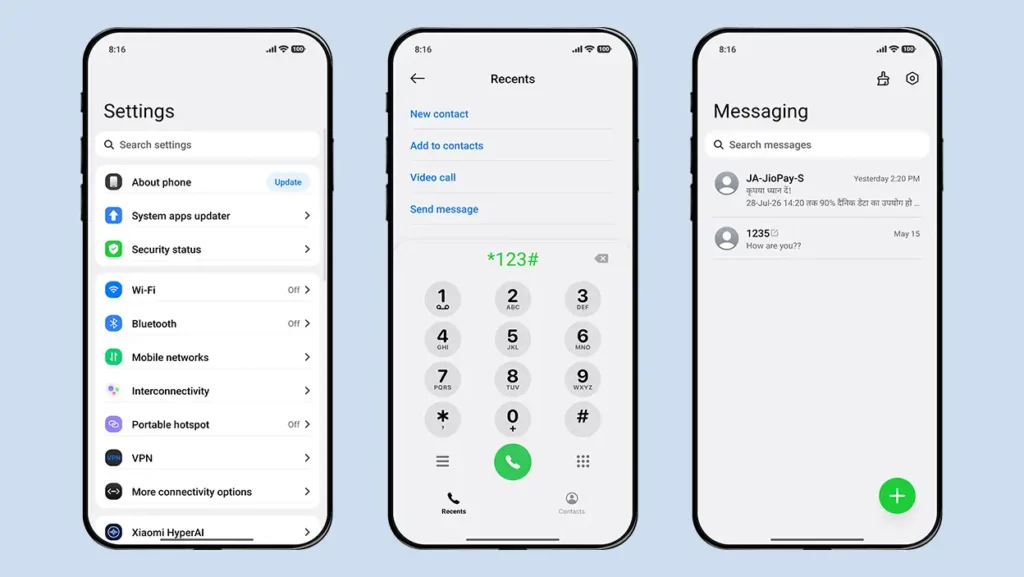
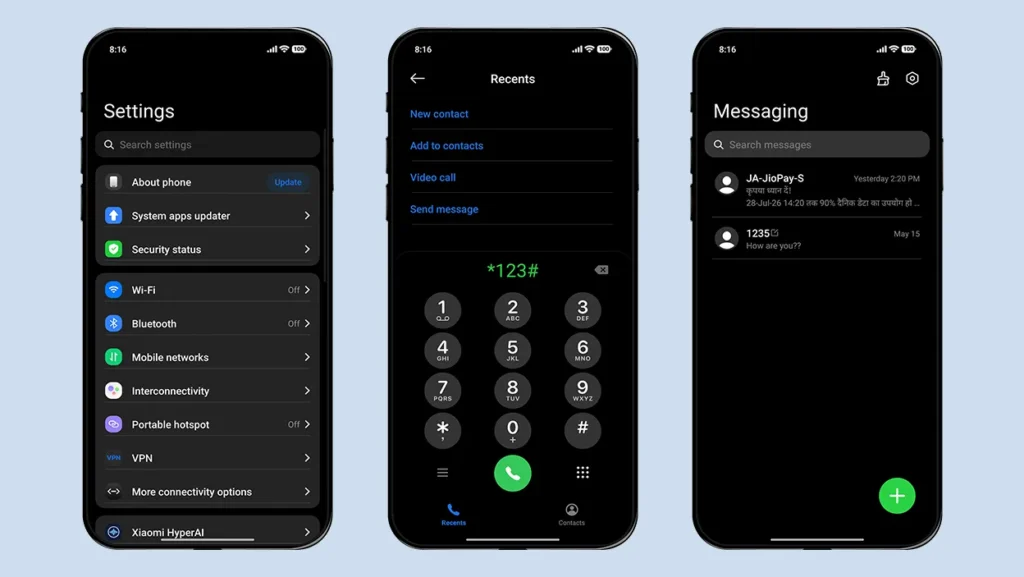
The overall interface is inspired by the latest iOS glass-effect design. System applications such as Settings, Dialer, and Messages also follow the same design language, giving your Xiaomi device a refined iOS-inspired appearance.
New Charging Animation
The charging animation is inspired by Apple’s MagSafe charging animation, replacing the default charging effect with the one included in the theme. If you prefer, you can switch back to the system charging animation or disable it completely through the lock screen settings.
Dark Mode Support
Enjoy the same premium experience in Dark Mode. Even the home screen widgets automatically switch to dark mode when your device does, ensuring a consistent and polished user interface without compromising the overall design.
Dock Bar Support
Enable the Desktop Dock Bar from the theme’s lock screen settings to give your home screen a more immersive appearance. The glass-effect dock bar is fully customizable, allowing you to adjust its color (black or white), width, height, transparency, and vertical position.
The best part is that it also supports POCO devices, a feature that many similar themes do not offer.
Home Screen Widget
The theme includes a beautiful card-style home screen widget inspired by iOS widgets, complete with Dark Mode support. It displays useful information such as the date, location, weather, phone battery, Bluetooth device battery, and smartwatch battery directly on your home screen.
One UI Inspired Icons
The theme also includes premium-quality icons inspired by Samsung’s One UI. It provides icon support for all system applications along with several third-party apps. The icons are sharp, clean, and visually consistent, giving your device a polished and immersive appearance.
Theme Screenshots, Download Links & Installation Guide
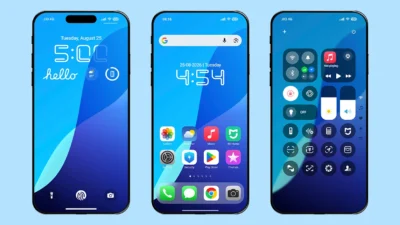
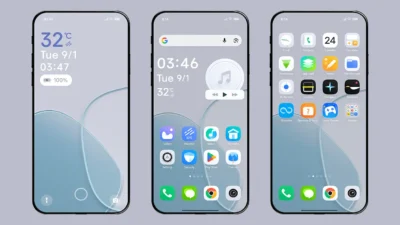
Here are the complete screenshots, theme details, download link, and installation guide for the Raster Seasonal Lock Screen Card HyperOS Theme. Follow the steps carefully to apply this MTZ theme successfully on your Xiaomi, Redmi, or Poco device.
Theme Screenshots
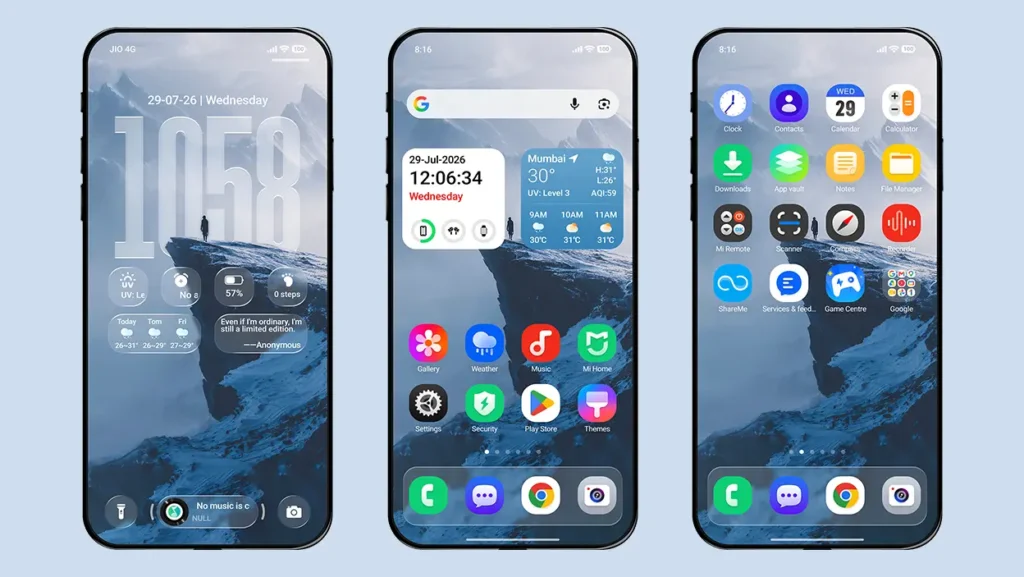
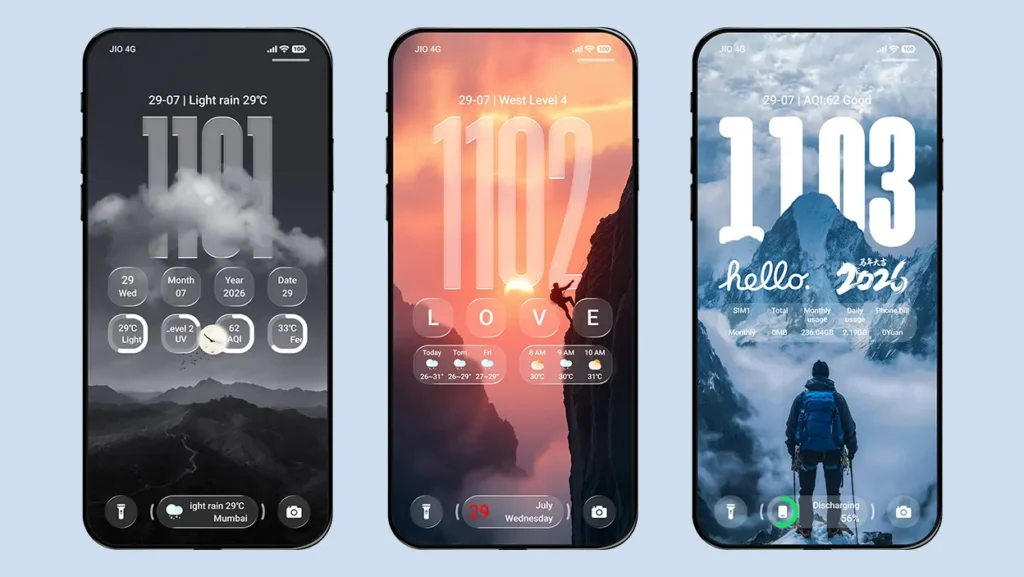
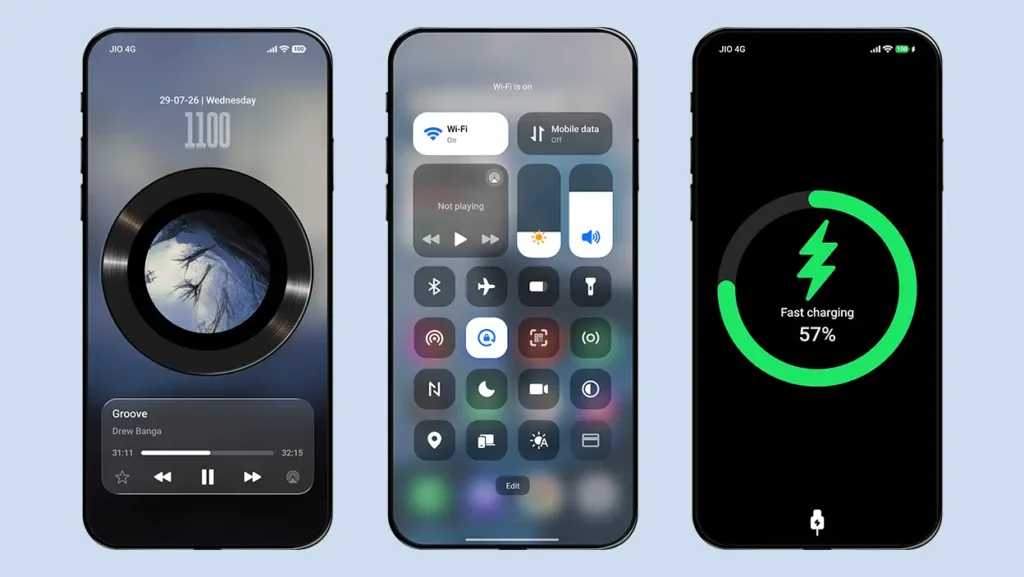
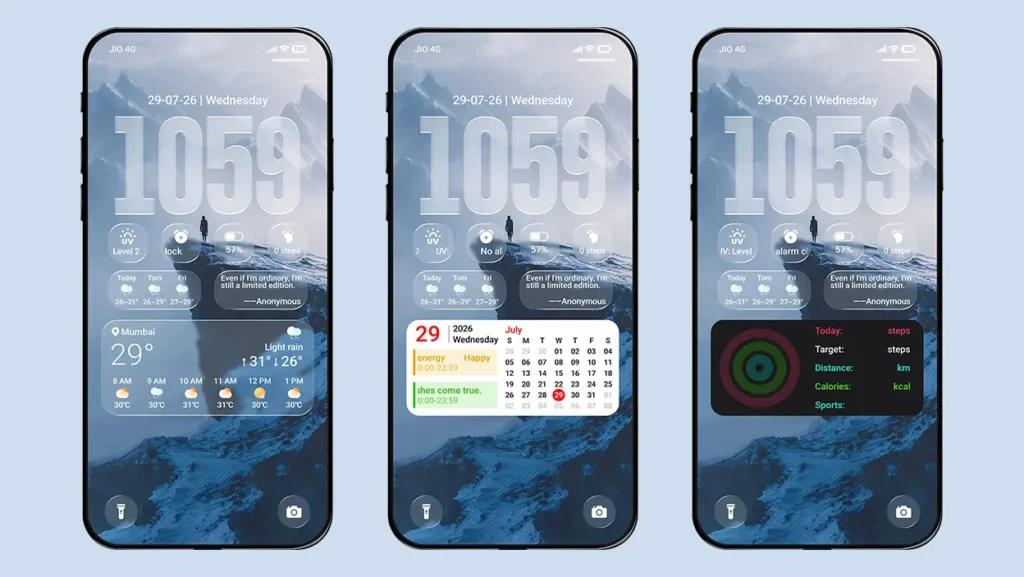
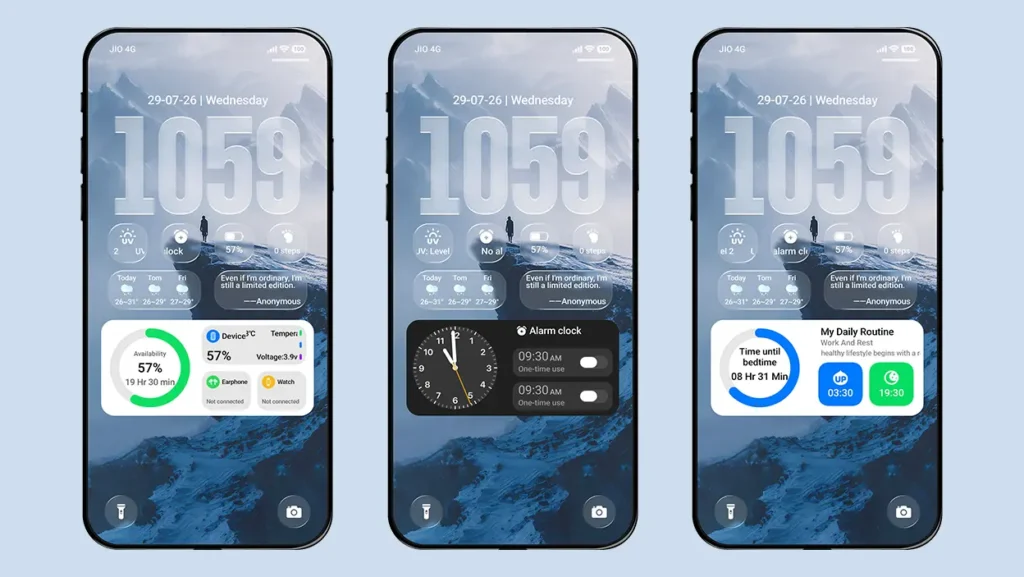
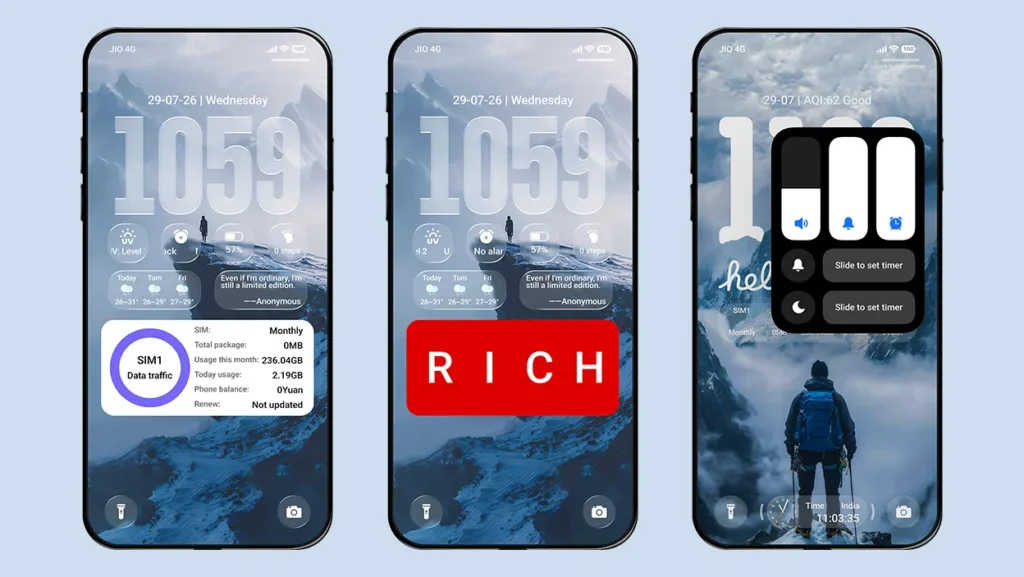
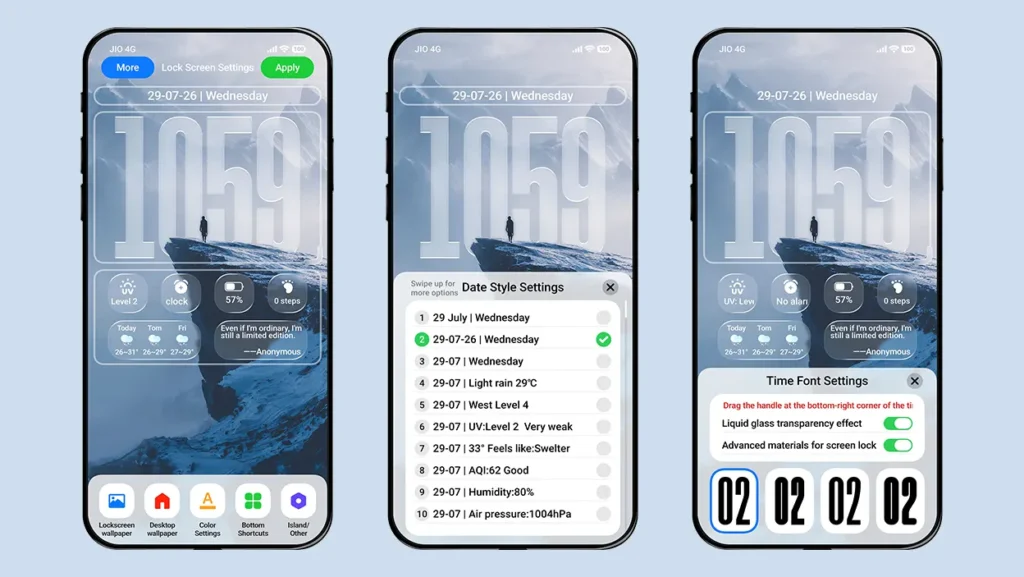
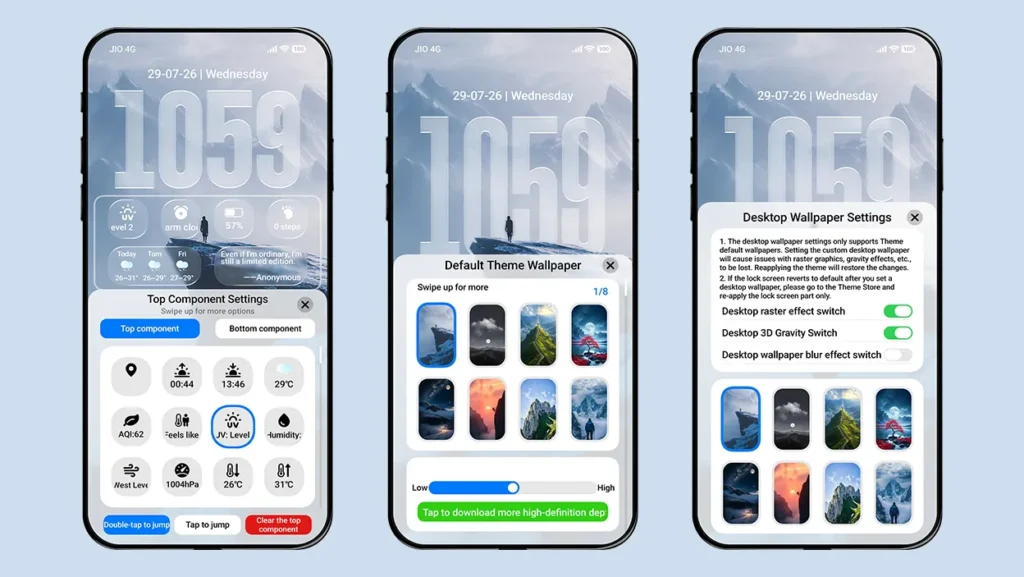
Theme Information
| Name: | Raster Seasonal Lock Screen Card / 光栅换季 锁屏卡片 |
| Designer: | 8°余温 |
| Compatibility: | HyperOS 1.0 | 2.0 | 3.0 |
| Size: | 74.4 MB |
| Type: | MTZ File |
Download Links
Using a Global ROM? Learn how to permanently apply MTZ themes on your Xiaomi, Redmi, or POCO device.
How to Apply MTZ Theme
Applying this MTZ theme is quick and easy. Simply follow the steps below to import the downloaded MTZ file through the Themes app and apply it successfully to your device.
- Open the Themes app on your device.
- Go to My Account.
- Select the Themes option.
- You’ll see a list of your pre-installed themes. Scroll down and tap on the Import option.
- Locate and select the Raster Seasonal Lock Screen Card [ENG].mtz file you downloaded.
- The theme will be added to your themes list.
- Finally, tap on the theme and press Apply to set it on your device.
Our Final Thoughts
If you’re looking for a HyperOS theme that offers one of the most advanced lock screens packed with innovative features and a premium UI design, Raster Seasonal Lock Screen Card is an excellent choice. From its futuristic lock screen and unique Raster Effect to its extensive widget support and polished iOS-inspired interface, this theme goes far beyond basic customization. Give it a try and completely transform the look and feel of your Xiaomi, Redmi, or POCO smartphone.
If you enjoyed the theme, don’t forget to share it with your friends and fellow Xiaomi users. Also, share your opinion in the comments section. If you face any issues while installing the theme or encounter any bugs, please let us know.
Poco