

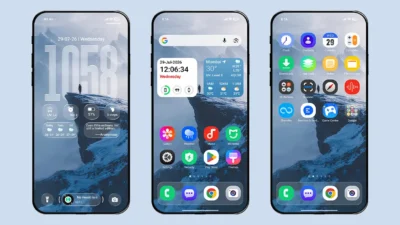
Want an iOS experience in Dark Mode? Download the Fruit Wind 26 Dual-Color Icon Edition HyperOS Theme, which offers an immersive dark mode experience with an iOS 26-inspired UI, featuring dark iOS icons and wallpapers for your Xiaomi, Redmi, and POCO smartphones.
iOS themes are among the most popular themes for Xiaomi, Redmi, and POCO devices. While you may have used iOS themes with dark mode support before, this HyperOS theme is specially designed to deliver a complete dark mode experience simply by installing the MTZ file.
The Fruit Wind 26 Dual-Color Icon Edition HyperOS Theme includes all the major features you would expect from an iOS theme, along with both light and dark iOS icon packs. Overall, the theme focuses on delivering a premium dark UI while maintaining excellent performance.
Fruit Wind 26 Dual-Color Icon Edition Theme Key Features
Let’s explore the features that make this theme stand out.
Dual-Tone iOS Icons
The biggest highlight of this theme is its Dual-Tone iOS Icons. When Dark Mode is enabled, the icons automatically switch to their dark version, and when Dark Mode is disabled, they return to the light version. You can also manually switch between the light and dark icon styles whenever you want.
Clean Lock Screen Interface
Although this is an iOS-inspired theme, the lock screen has been kept clean and minimal. It offers several customization options, including Blur Effect, Darkening Effect, 3D Gravity Sensor Effect, Wallpaper Zoom Effect, Focus Mode, Full-Screen Music Player support and more. To access all lock screen features, it is recommended to download the Full Lock Screen version of the theme provided by the designer.
Glass Effect Dock Bar
The Glass Effect Dock Bar adds a premium touch to your home screen by making the icons stand out beautifully. Combined with the iOS-style icons and dock, it creates an experience that closely resembles using an iPhone.
Home Screen Widget
The theme also includes a simple iOS-style home screen widget with a frosted glass background. One section displays the clock, while the other shows useful weather information, including temperature, location, current weather conditions, and daily high and low temperatures. The widget is designed to blend perfectly with the overall iOS-style setup.
System-Wide Dark Mode Support
Since this theme is primarily designed around Dark Mode, it naturally offers excellent system-wide dark mode support. You’ll notice visual changes across major system apps and UI elements, including the Control Center, Power Menu, Dialer, Contacts, Messaging, and Settings. If you prefer Light Mode, the theme also provides a consistent and polished appearance throughout the system.
iOS Style Charging Animation
The theme replaces the default charging animation with an iOS-style charging animation, giving your device a premium look and feel whenever you connect it to a charger.
Theme Limitations
While the theme offers several great features, there are a few areas where it falls short.
- Compared to many other iOS themes, it offers fewer lock screen features. Functions such as Control Center, Smart Island, and Always-On Display (AOD) are not available in this version. To access these features, you’ll need to download the Full Lock Screen version recommended by the theme designer
- The dual-tone light and dark icon support is currently limited to system apps and a few third-party apps. Support for more apps may be added in future theme updates.
- The theme includes only one Depth Effect wallpaper, whereas most iOS themes offer multiple Depth Effect wallpapers to choose from.
- The lock screen does not support widget customization, which means you cannot add widgets for quick access to information directly from the lock screen.
- There are no clock or date customization options. You can only adjust the vertical position of the lock screen clock.
Theme Screenshots, Download Links & Installation Guide
Here are the complete screenshots, theme details, download link, and installation guide for the Fruit Wind 26 Dual-Color Icon Edition HyperOS Theme. Follow the steps carefully to apply this MTZ theme successfully on your Xiaomi, Redmi, or Poco device.
Theme Screenshots
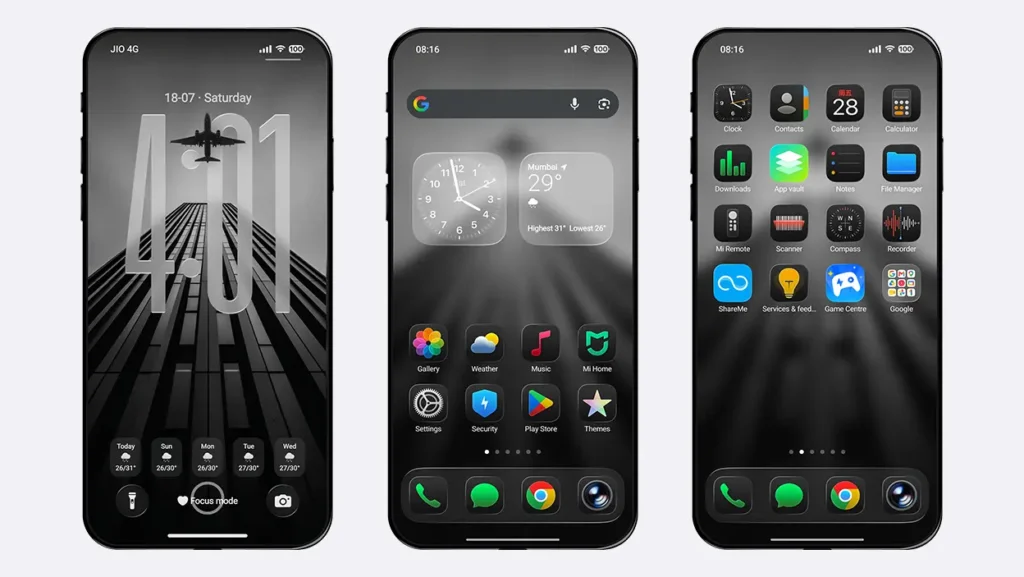
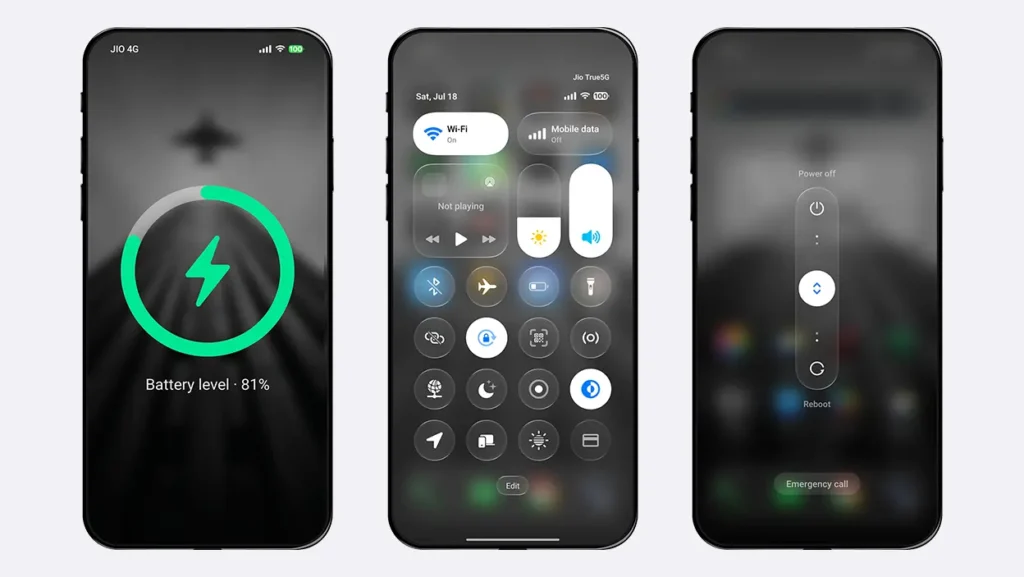
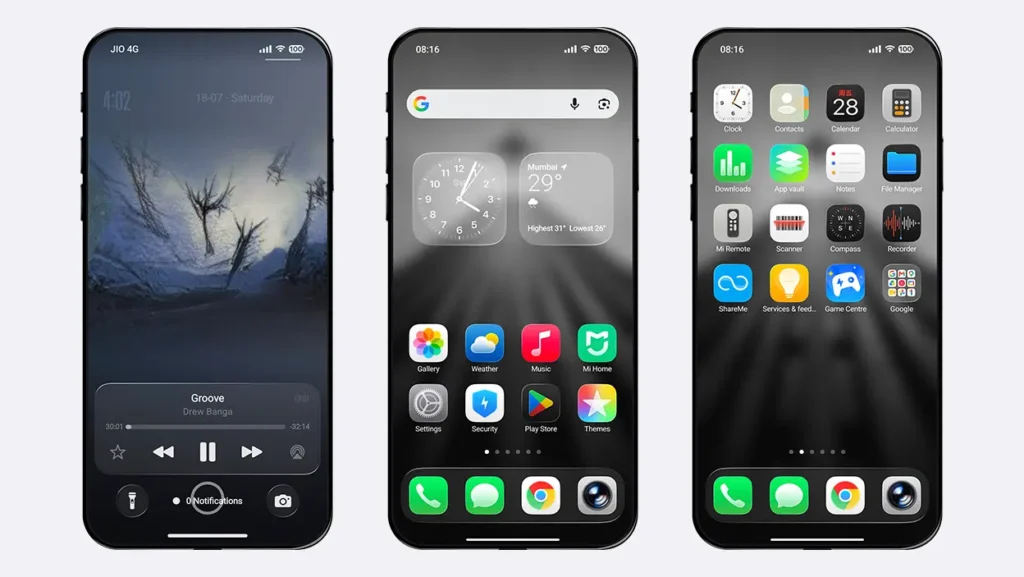
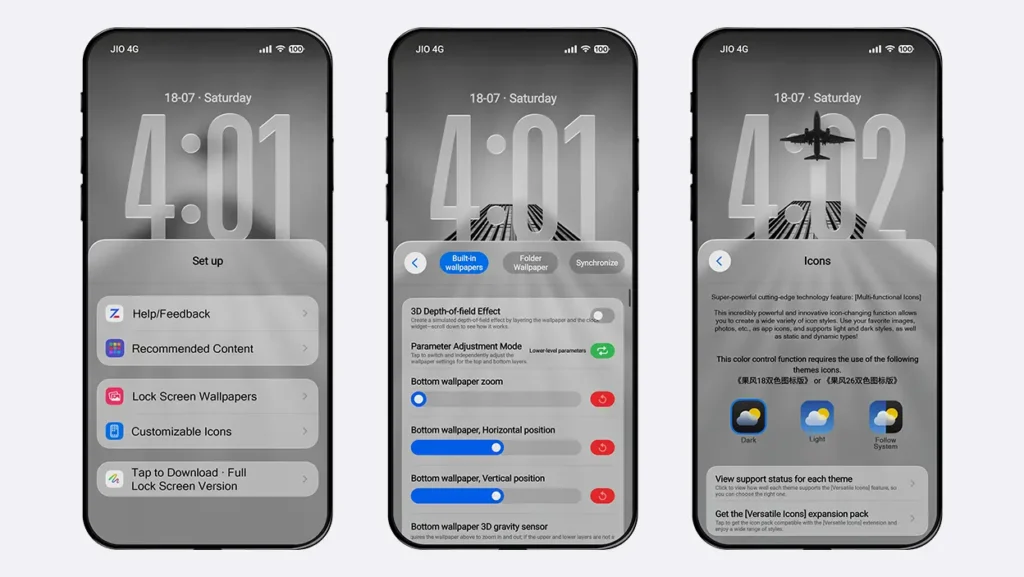
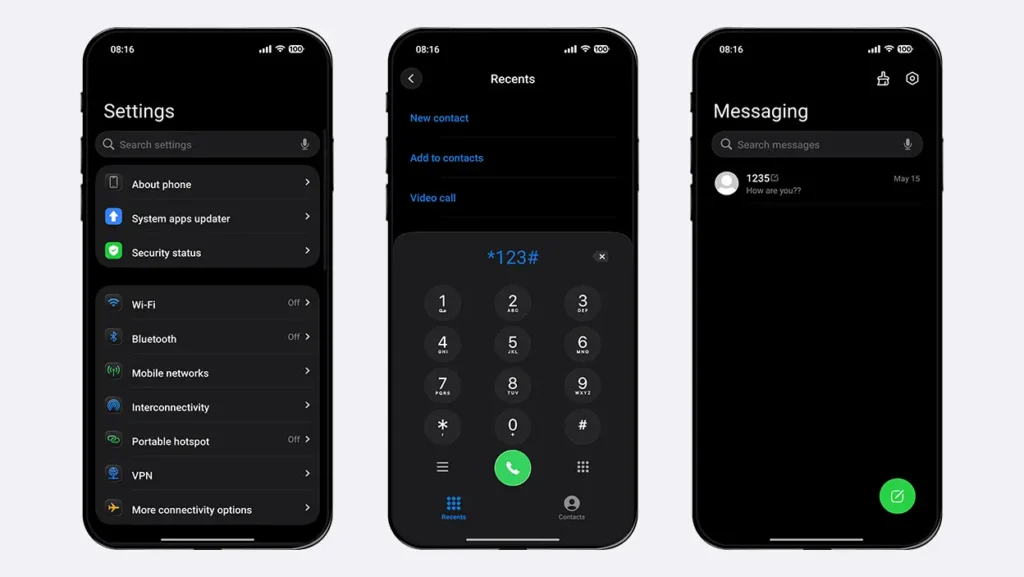
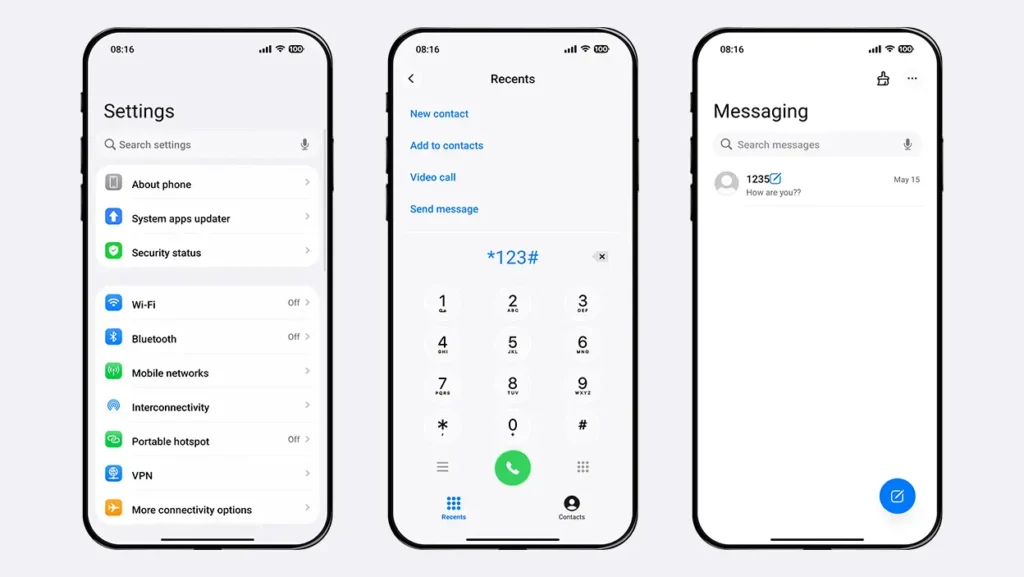
Theme Information
| Name: | Fruit Wind 26 Dual-Color Icon Edition / 果风26双色图标版 |
| Designer: | 周凡 |
| Compatibility: | HyperOS 1.0/2.0/3.0 | MIUI |
| Size: | 66.1 MB |
| Type: | MTZ File |
Download Links
Using a Global ROM? Learn how to permanently apply MTZ themes on your Xiaomi, Redmi, or POCO device.
How to Apply MTZ Theme
Applying this MTZ theme is quick and easy. Simply follow the steps below to import the downloaded MTZ file through the Themes app and apply it successfully to your device.
- Open the Themes app on your device.
- Go to My Account.
- Tap the Themes option.
- Scroll down through your installed themes and tap Import.
- Locate and select the downloaded MTZ file.
- The theme will be imported and added to your themes list.
- Open the imported theme and tap Apply.
Who Should Use This Theme? Our Final Verdict
If you’re looking for an HyperOS theme that offers iOS 26-style experience on your Xiaomi, Redmi, or POCO smartphone with a complete Dark Mode setup, the Fruit Wind 26 Dual-Color Icon Edition is an excellent choice. Its dual-tone iOS icons, clean lock screen, glass-effect dock, elegant widgets, and system-wide dark UI come together to deliver one of the best dark iOS experiences available for HyperOS users.
If you enjoyed the theme, don’t forget to share it with your friends and fellow Xiaomi users. Also, share your opinion in the comments section. If you face any issues while installing the theme or encounter any bugs, please let us know.
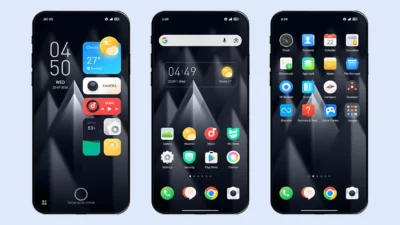
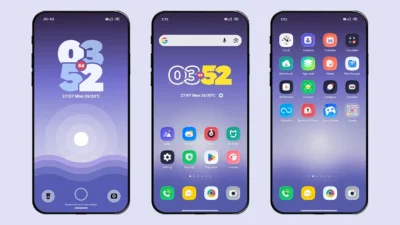
This theme is also really good. Please add this beautiful Guofeng 26 theme in a fully English version as well. I’d really appreciate it, bro. 🙏❤️